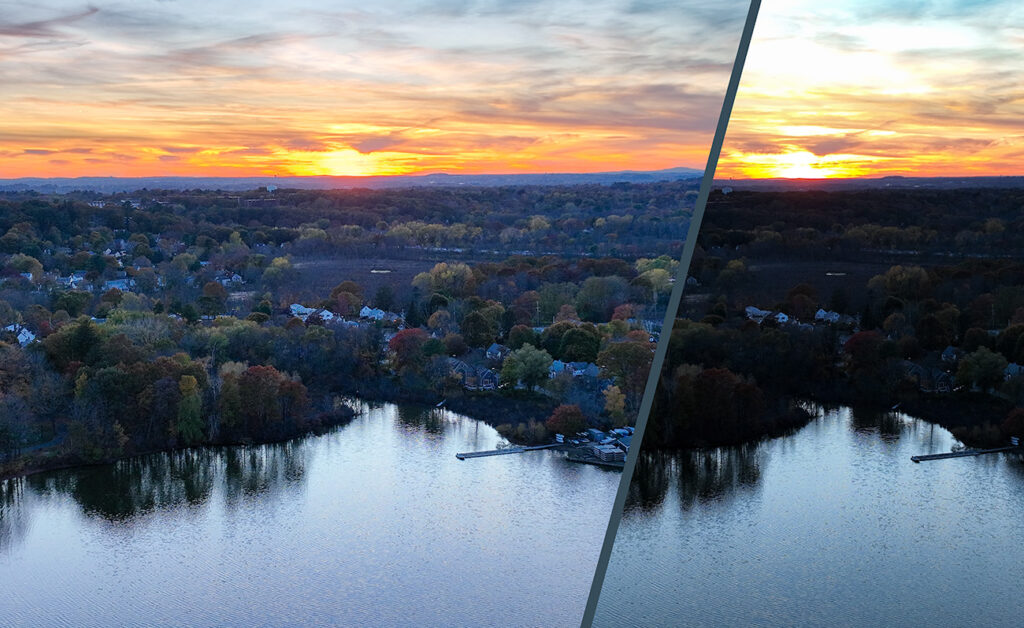
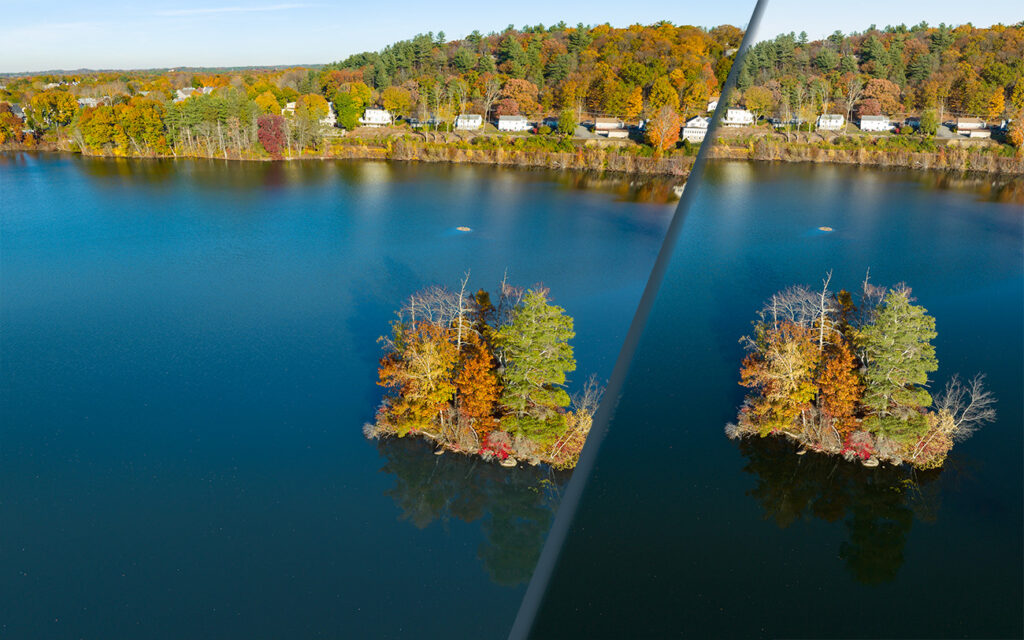
A camera’s image sensor has one job – to record light. However, sensors generally can only capture a limited range of light from shadows to highlights. When the actual range exceeds the sensor’s ability, that’s “high dynamic range” or HDR.
Here are two recent examples where the range of light exceeded my camera sensor’s ability. The first is a sunset. No surprise – the highlights are super bright. The second example is less obvious – the surface of a lake reflects blue sky in some areas and elsewhere the light simply falls off to black.
The solution is the same. Capture multiple exposures and then combine them together as a matter of post-processing. Many cameras have this post-processing and a built-in option. Even my smartphone camera includes that feature. The results may be disappointing. My own experience with camera built-in HDR processing is 50/50 at best. The end result is so commonly disappointing that I routinely don’t trust the camera to do it. Instead, I do HDR post-processing using software in a desktop computer.
This technique generally requires that the camera doesn’t move when capturing the separate exposures. The composition of the two captures is exactly the same. If the camera moves slightly, that is commonly not a problem because the two can be aligned during post.
This technique doesn’t work with video. When shooting video, the camera angle usually changes during the shoot; to shoot the scene a second time will result in a different video composition. Two captures will never align. For video, the solution to HDR is different – capture the shot just once but use a special camera mode that is very low-contrast, often referred to as DLog. Straight out of the camera, that shot looks truly awful. It must be post-processed, expanding the contrast range to something that appears correct.
Some cameras today are using memory cards that did not exist ten years ago. It is time to again survey the state of memory cards. The last time I wrote about memory cards was 2014.
While many online comments assume Compact Flash (CF) memory cards are antiquated simply because they are larger than SD cards, that’s not true. CF might be considered as antiquated because of limited speed of data transfer – how fast can data be written to the card. CF cards, like older SD cards (UHS-I), may be “slow” when compared to some other card technologies.
For the past ten years, SD (secure digital) cards have dominated the market for cameras and other electronics. Unfortunately, labelling on SD cards can be quite cryptic. A single card may state: 250MB/s, UHS-II, U3, Class 10, V60.
“C” is original speed class C2 (2 MB/sec), C4 (4 MB/sec), C6 (6 MB/sec), and C10 (10 MB/sec).
“V” is video speed class V6, V10, V30, V60 and V90.
Memory cards are a form of NVRAM (Non-Volatile Random Access Memory). That implies two things. When the card is removed from electrical power, the data stored on a memory card does not disappear. That data can be accessed randomly; reading and writing is Not limited to serial or linear order.
Faster is better … maybe
There are two reasons but possibly neither reason is important to you.
Capturing video
When capturing video, the data rate out to your memory card will vary depending upon which codec and configurable parameters available with that particular codec. Let’s vaguely consider two examples, assuming the picture resolution is Ultra-High Definition video (a.k.a. UHD or 4K) and 30 frames per second:
H.264 is maybe 4 MB/sec (32 Mb/s) write to your memory card
Apple Pro Res 422 can be more than 60 MB/sec (480 Mb/sec) write to your memory card
Capturing bursts of high-resolution photos.
If a camera is going to produce RAW images of file size 30 MB each and you hold down the shutter release, capturing ten frames per second, that’s 300 MB/sec. The camera buffers the images internally until they can be saved to the card. The question is then: how much time before that writing is complete and you can press the shutter release again?
Under the hood
The most important difference between memory card technologies is what you can’t see.
The foundation of SDXC is UHS bus
The foundation of CF is Parallel ATA (PATA) bus interface.
The foundation of CFast is SATA III bus interface.
The foundation of XQD is PCIe.
The foundation of CFexpress is PCIe.
Next Generation is here
CFast is quickly fading away in our rear-view mirror. Some contemporary cameras do still employ these cards, including Blackmagic URSA and the Canon EOS C700.
Second generation XQD 2.0 debuted in 2012. Jointly developed by SanDisk, Sony and Nikon, XQD apparently defeated CFast but has not gained wide adoption. While XQD has been employed in a handful of Nikon cameras, it surprisingly has not appeared in Sony cameras. Perhaps the only non-Nikon camera to use XQD was the XF IQ4 by Phase One.
CFexpress was developed by a broad consortium of companies and, unlike XQD, does not incur licensing fees paid to Sony. Second generation CFexpress type B has the same physical size as XQD but can transfer data faster. Cameras currently supporting CFexpress cards include Canon EOS R5, Nikon D6, Nikon Z9 and Sony α7S III.
XQD and CFexpress can support 6K video and 8K video recording. CFexpress and XQD share the same physical size and durable packaging. Some Nikon Z-series cameras support either in the same card slot.
Consumer cameras will likely continue to use SDHC/SDXC/SDUC cards for several reasons.
Average consumers do not require durability/ruggedness of XQD and CFexpress.
Average consumers are not shooting 6K or 8K video
SD UHS-II cards are far less expensive than XQD and CFexpress cards
The very brief list
SDHC (SD High Capacity): between 4 and 32 GB;
SDXC (SD Xtreme Capacity): up to 2 TB;
SDUC (SD Ultra Capacity): up to 128 TB.
Data Speed
SDHC/SDXC/SDUC UHS-I: 104 MB/sec
SDHC/SDXC/SDUC UHS-II: 312 MB/sec
SDHC/SDXC/SDUC UHS-III: 624 MB/sec (The only product I can find is Sony SF-G Series Tough SDXC, $188)
CF (Compact Flash): up to 155MB/sec
CFast: up to 600Mb/sec
XQD: up to 1000MB/sec
CFexpress type A : up to 1000MB/sec
CFexpress type B : up to 2000MB/sec (To date, the fastest card has max write 1600MB/sec and max read 1700 MB/sec)
CFexpress type C : up to 4000MB/sec
Physical size
SD card is 32.0 × 24.0 × 2.1 mm
XQD is 38.5 x 29.8 x 3.8 mm
CFexpress Type A is 20 x 28 x 2.8 mm
CFexpress Type B is same as XQD
CFexpress Type C is 54 x 74 x 4.8 mm
Card Readers
Card readers that support both XQD and CFexpress are very rare. I found one that cost $150.
CFexpress type-A and CFexpress type-B are physically different. Card readers likely support one of these, not both.
Some card readers have multiple slots to accept different card formats. Such readers may only recognize one card at a time; if you insert two cards at the same time, it may only recognize the first card inserted.
To mention a few
The top two brands I have trusted are Lexar and SanDisk. Second tier Transcend. Third tier Kensington. While PNY probably deserves a spot in the top five, I’ve never actually owned a PNY card.
In 2017, Micron sold the Lexar brand. And, according to multiple reports online, a new brand, ProGrade Digital, was founded by some of the old Lexar leadership team.
Every year, I see some images shared online that viewers believe to be real but are digital creations that are not real. In many cases, the digital artist wasn’t trying to fool anyone but the image is shared without stating that it is digital art.
A friend showed me a “photo” that impressed him … reported to be a blue whale passing under a cable-stay bridge. As the length of the whale was similar to the length of the bridge, I did not believe it and suggested this was not a real photo. My friend seemed offended and asked “why would you question this photo?” Even the largest whale on earth simply isn’t that big. Later looking up details online, an adult blue whale may grow to a length of 100 feet. The bridge in the photo is the Samuel De Champlain Bridge and the section of the bridge in the image amounts to a length of approximately 1800 feet.
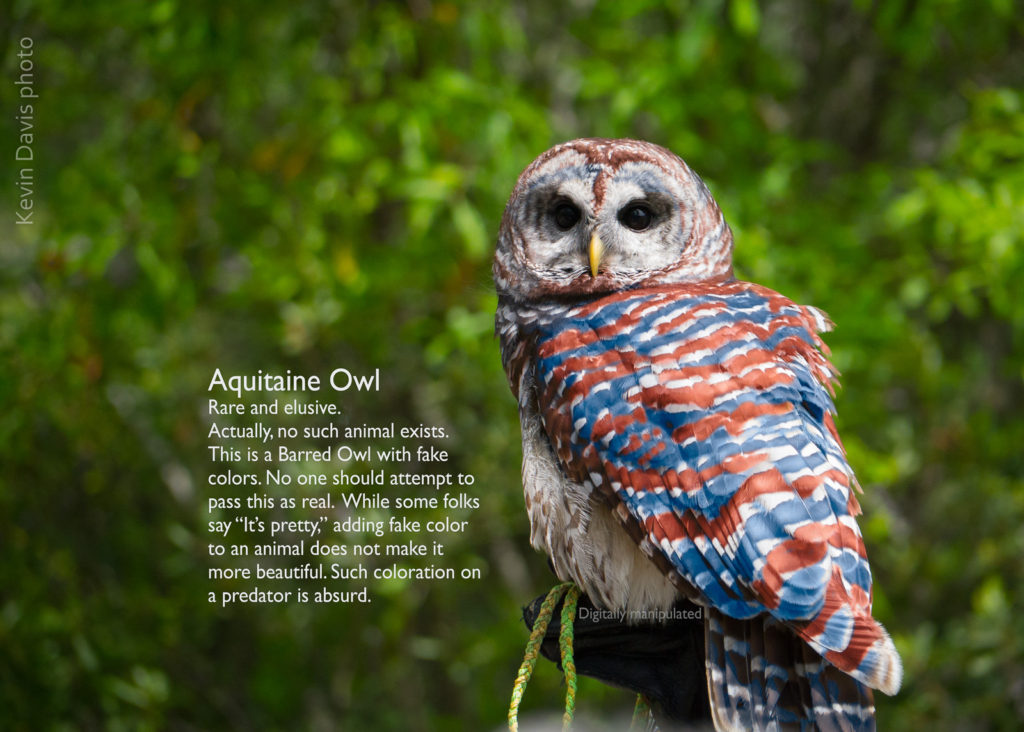
On several occasions, friends have share photos online of a bright red owl, sometimes identified as a Madagascar Red Owl. Commonly people believe they are sharing a real “photo” and are stunned by the beauty of the bird. The immediate problem is that owls are birds of prey and will not be highly visible to their prey; an owl should blend into its environment. To this point, at least seven years ago, I modified one of my own images and declared it to be an Aquitane Owl with blatant caption explaining that the coloring isn’t real and should never be misrepresented as real.
Some tropical birds are brightly colored; as a general rule, owls are not.
I have seen a few images that raised doubts, but a little research told me that the colors are not untrue, but perhaps digitally amplified. For example a black leopard with distinctive spots (not entirely black). And then there is a brown zorse (zebra horse) – apparently completely real.
To stabilize a camera for video filming, we have seen several types of stabilization: (1) Large Steadycam body-mounted on a vest. (This was invented around 1975.) (2) Hand-held stabilizers that rely upon counter-balance weight (3) Computerized gimbal operated with two hands and support cinema cameras such as RED, Sony, Canon, etc (4) Computerized gimbal that can be held with just one hand and support smaller cameras (5) Very small devices including camera and gimbal with a total weight of 16 oz or less. (6) In-camera mechanical techniques for stabilzation, either lens-shift or sensor shift (7) Digital image stabilization
Computerized gimbals have been a game changer, invented around 2012. The larger 2-handed category has been dominated by Freefly MoVI series and DJI Ronin series of products. These systems do not include camera, video monitoring, or follow-focus.
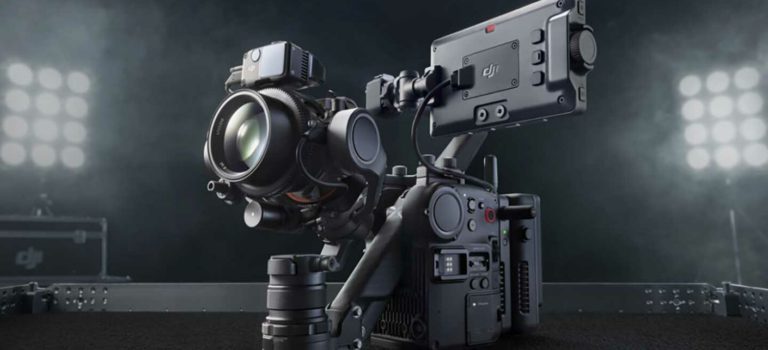
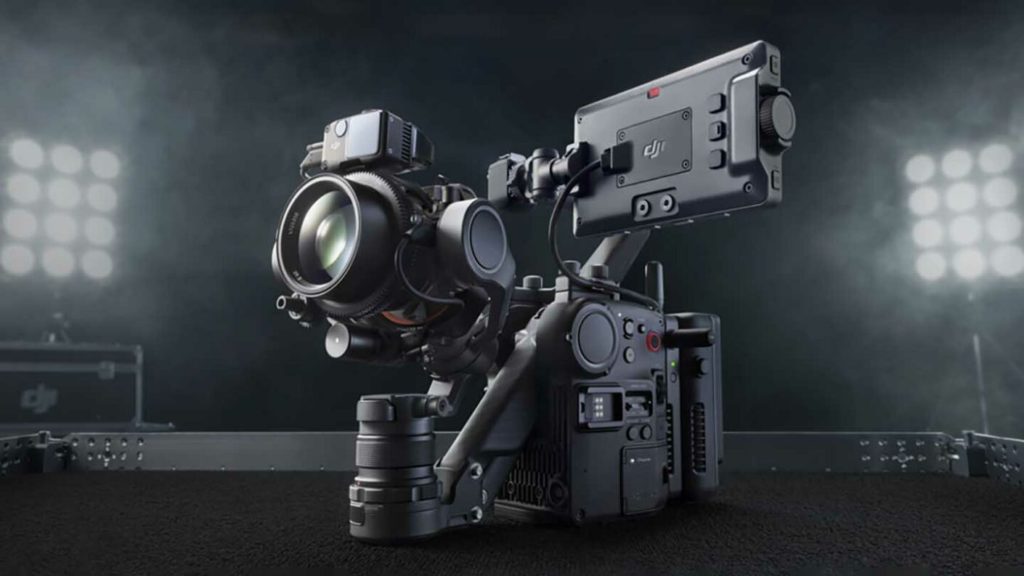
Today, DJI introduced another game-changer – the new DJI Ronin 4D. This is no longer just a stabilization device, rather it is a complete system, including the camera. Surely many film-makers will not readily abandon their trusted cameras and lenses, but at first glance, Ronin 4D does seem to be a game-changer.
Cost: The complete system is less than $10K. Compare this to assembling a comparable system from separate components. Either a RED Komodo or Canon C300 Mark III will set you back more than $8K and that does not even include any lens. The built-in ND filters is a pretty big deal; can potentially eliminate need for a bulky matte box. The LIDAR system looks truly amazing.
The Ronin 4D Cinematic Imaging System includes:
Cinema camera: 6K @ 120 FPS, or 8K @ 75 fps, or
10-bit Pro-Res
Six built-in ND filters
Computerized 6-Axis stabilization gimbal
7″ touchscreen video monitor, detachable and wireless
LIDAR focusing system
long-range wireless 1080 video transmit (with encryption and frequency hopping)
In addition to visiting Gloucester this weekend, I also ported all my photography and tools to a new computer. As I imported new images from a camera drone, I took the new computer on a test drive to verify that my tools were all in good order.
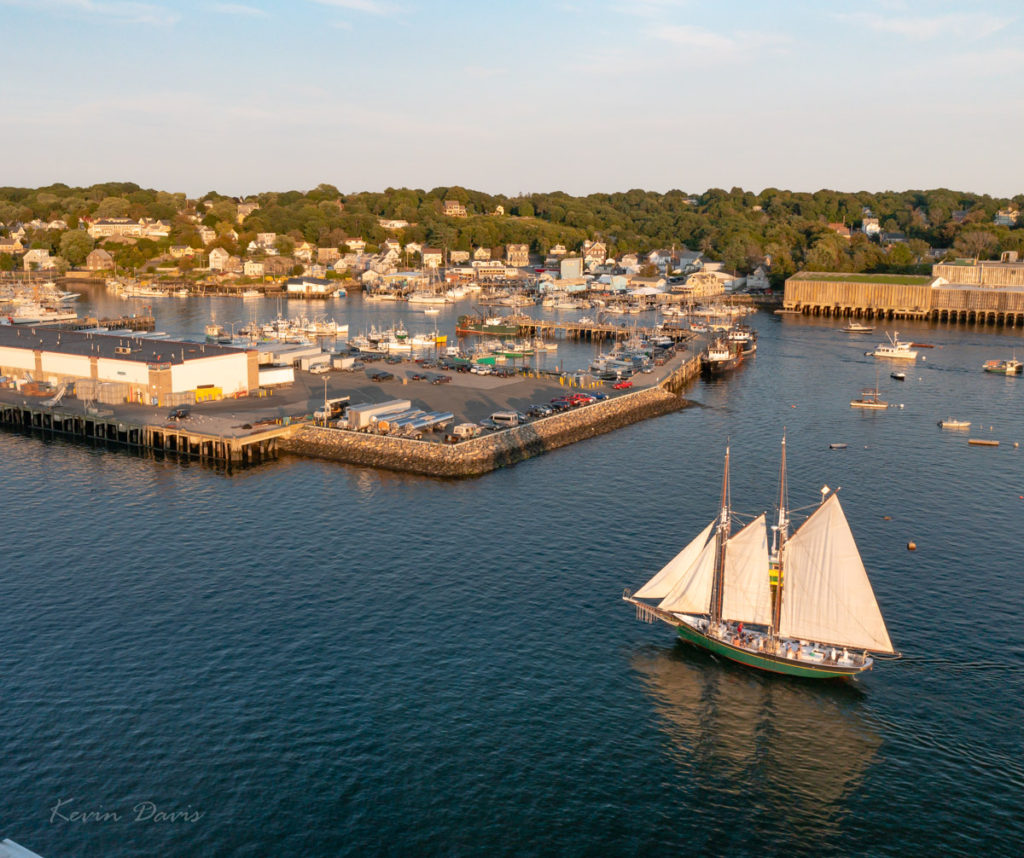
This scene had both very bright highlights and very dark shadows; I doubted that a single exposure could contain both the highlights and shadows. As you likely know, such situations are known as high dynamic range (HDR). I captured a bracket of three exposures. In retrospect, it was a wise choice. The middle exposure was spot on, however the foreground was nearly black and some background highlights were blown out – white boats and white buildings. The darker exposure provided correction for the blown-out highlights. The lightest exposure was used to replace the black foreground water with dark-blue water.
Initially, I processed each of the three in Lightroom and then combined them together using Photoshop. From Lightroom, open the three images using “Edit In” -> “Open As Layers In Photoshop”. Once opened in Photoshop, select all three layers and choose “Edit” -> “Auto-Align layers”. Here, there are six Projection options; I chose “Reposition” because the three images were identical composition that varied only by exposure.
A selection of the highlights was applied as a layer mask on the darkest layer, such that only the highlights are used from that layer. A selection of the foreground dark water was applied as a layer mask to the brightest layer such that the foreground is lightened. The resulting image is shown here on the right.
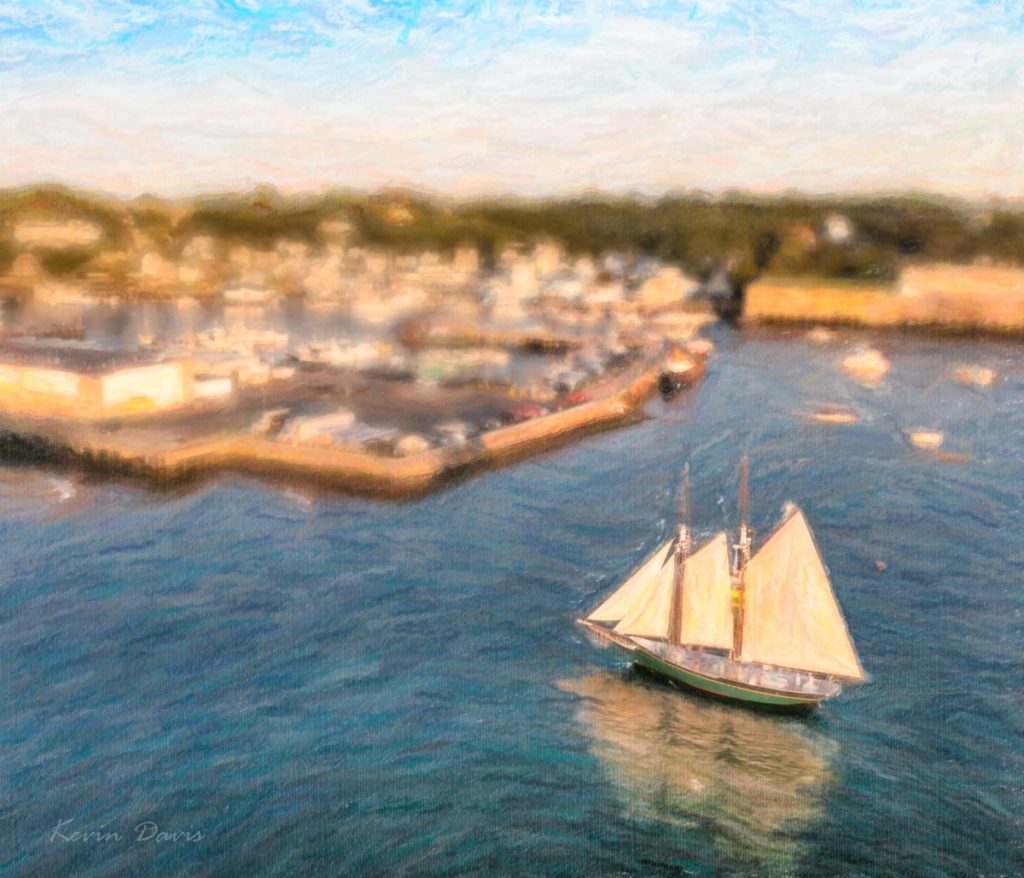
From there, I applied three image filters by Alien Skin. First was Bokeh, to blur the image – except for the schooner. Then I used two different variations of Snap-Art. All this was done through Photoshop. Upon saving all of this (TIFF file), I was back in Lightroom. Judicious use of brightness, clarity, and color saturation enhanced the simulated brush strokes. The end result is shown here on the left.
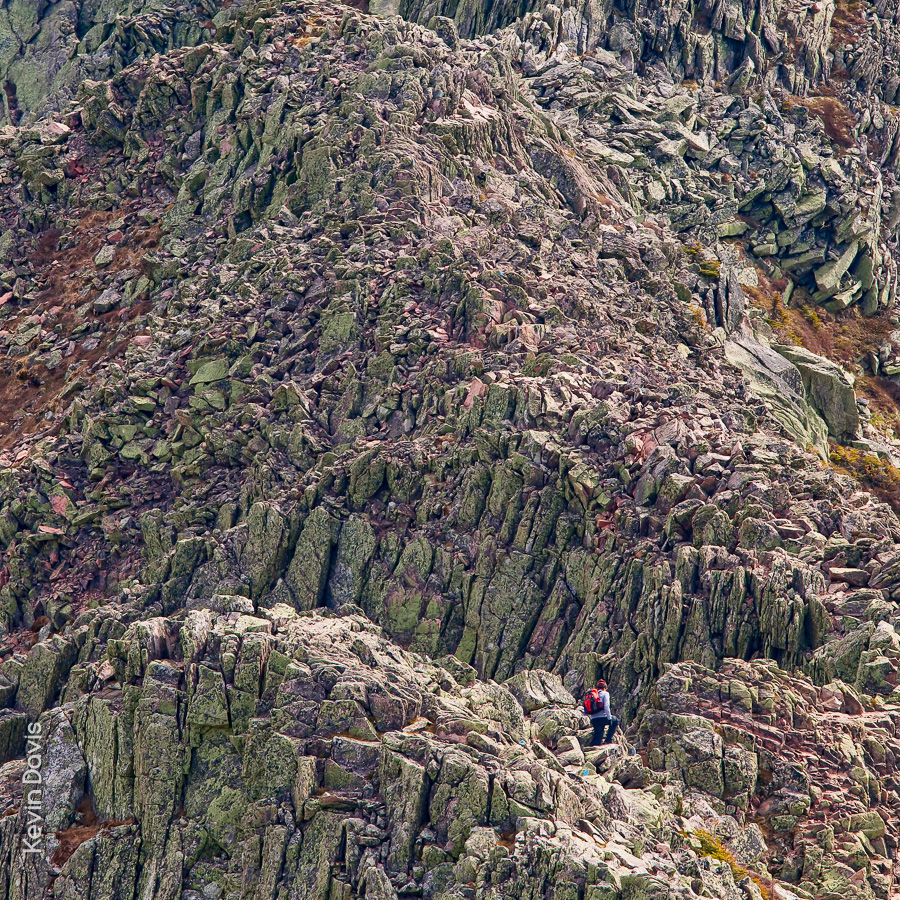
Mount Katahdin, northern terminus of the Applachian Trail
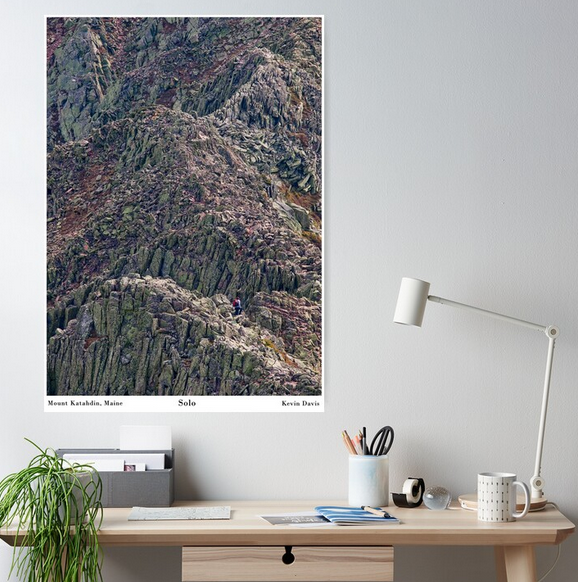
I’ve been thinking of turning this image into a wall poster and have finally done that. The scene is remarkable in particular because a solitary person appears quite small and provides the viewer a sense of scale. This mountain is unlike any other east of the Mississippi River.
I created this photograph during a solo visit to Katahdin. After spending the night at Chimney Pond, I arose early and ascended a very steep trail up to the top of the ridge. As a matter of lucky coincidence, this unidentified lone hiker happened to be about twenty minutes ahead of me.
Here’s what the medium-size poster looks like on my Redbubble store (https://www.redbubble.com/people/kevinheaven/shop).
April 19 – Boston
At the Public Garden, the flowering plum trees are solidly at peak bloom. Although some cherry trees are beginning to drop their flower petals, color will soon be reborn once the crabapples begin to bloom.
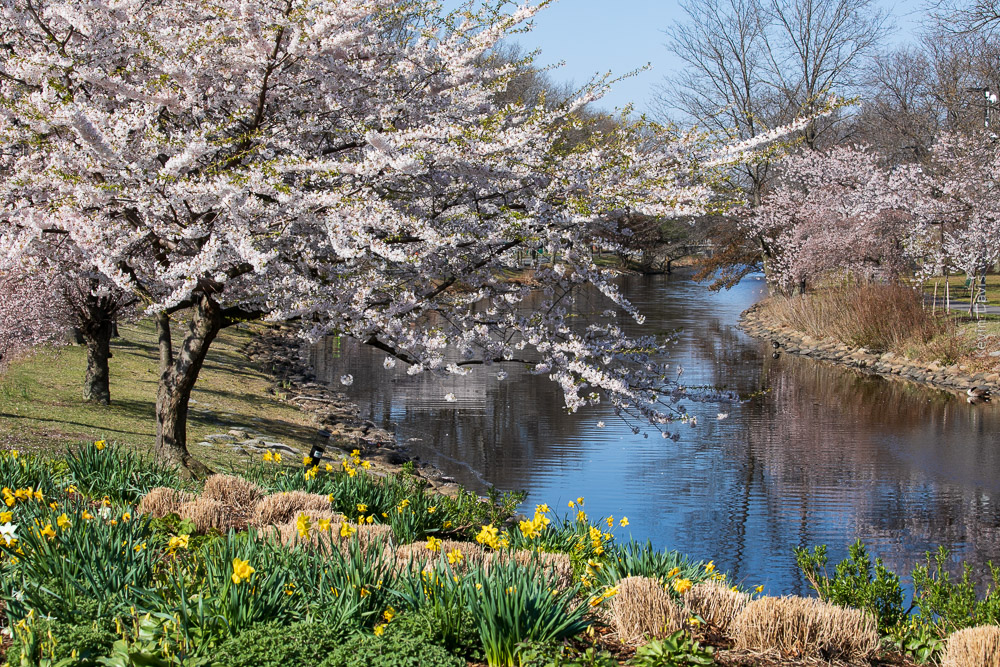
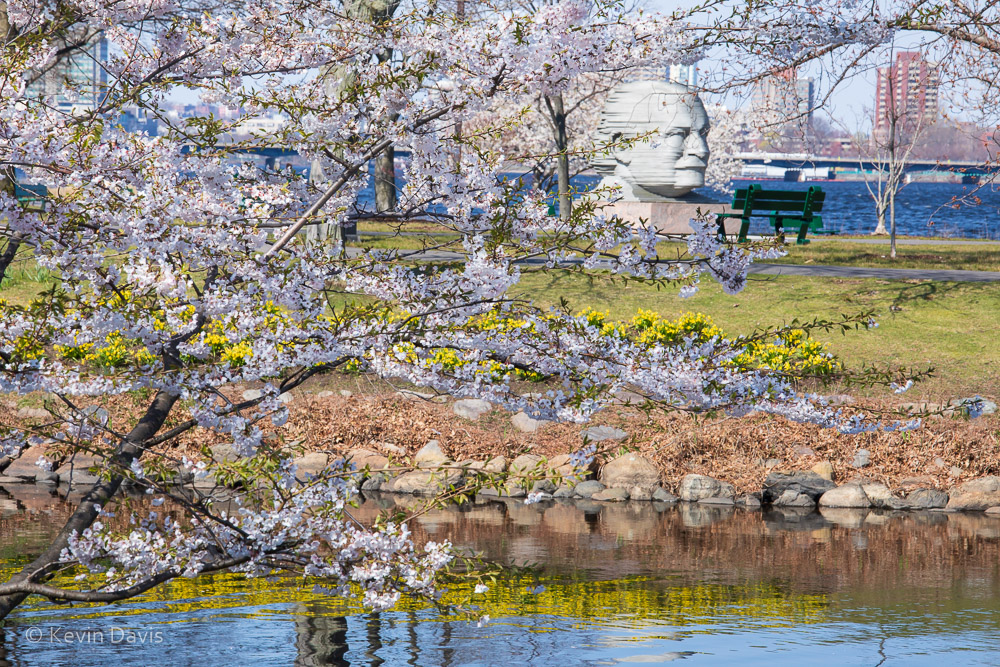
The jackpot of cherry trees is located nearby at the Charles River Esplanade. Here, multiple varieties of cherry trees are near peak bloom and should be giving a great display all this week. Of course, the Kwanzan Cherry trees (near the Hatch Memorial Shell) have not yet begun to bloom.
Charles River Esplanade, Boston Massachusetts
April 21 – Portsmouth, New Hampshire
Cherry trees near City Hall have not yet begun to bloom. Just across the street at Langdon Park, the prettiest tree in Portsmouth is just beginning to display the first few flowers. Downtown on State Street, flowing plum trees are displaying good color.
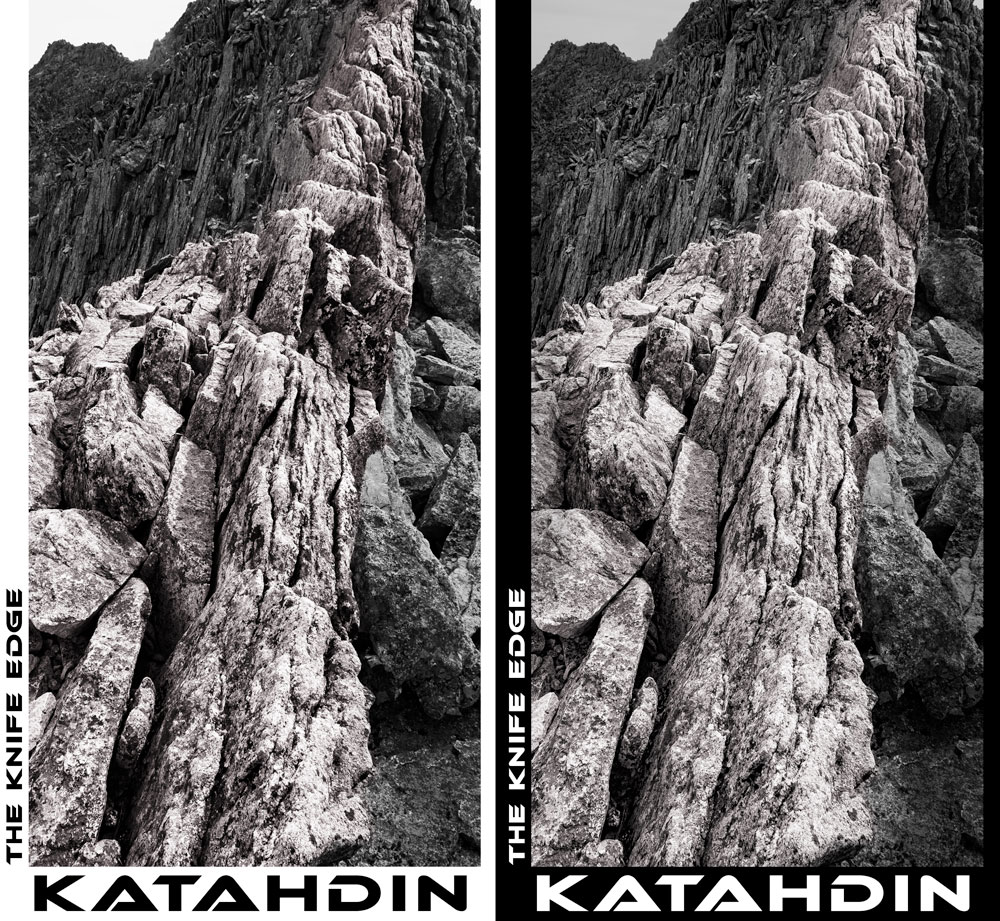
Recently I have been working through my photography catalog for the purposes of overhauling my website. At the same time, I’ve been recognizing that some images can be repurposed for graphic t-shirts and coffee mugs. My latest design is shown here; the left version is intended to be printed on light backgrounds and the right version is intended to be printed on dark backgrounds.
For this particular work, I used Adobe Photoshop and multiple plugins by Topaz Labs. To adjust the color palette and to enhance the details, I commonly use Topaz Adjust and Topaz Detail.
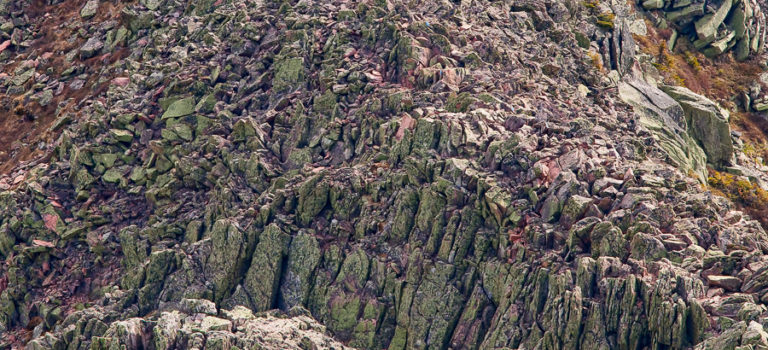
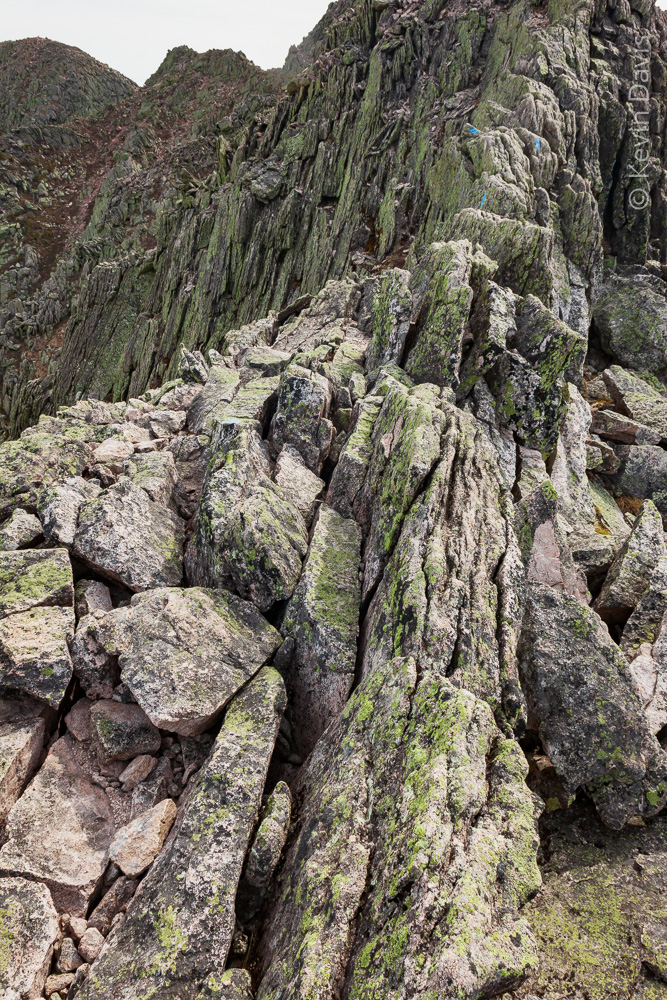
Here’s the original digital photo from ten years ago. This was probably the first time I had ever taken a digital SLR on a backpacking trip. Because I had not yet learned the features of this camera, I neglected one of the most remarkable features of the Canon 5D mark II … the first DSLR camera capable of 1080p high-def video. To this day, I regret that I did not capture any video in this remote unique landscape.
If you look closely (click on the image to see a larger view) toward the top right of the image, you will see blue blazes painted on the rocks; these blazes mark the hiking trail … a very narrow trail with a potentially nasty drop-off.
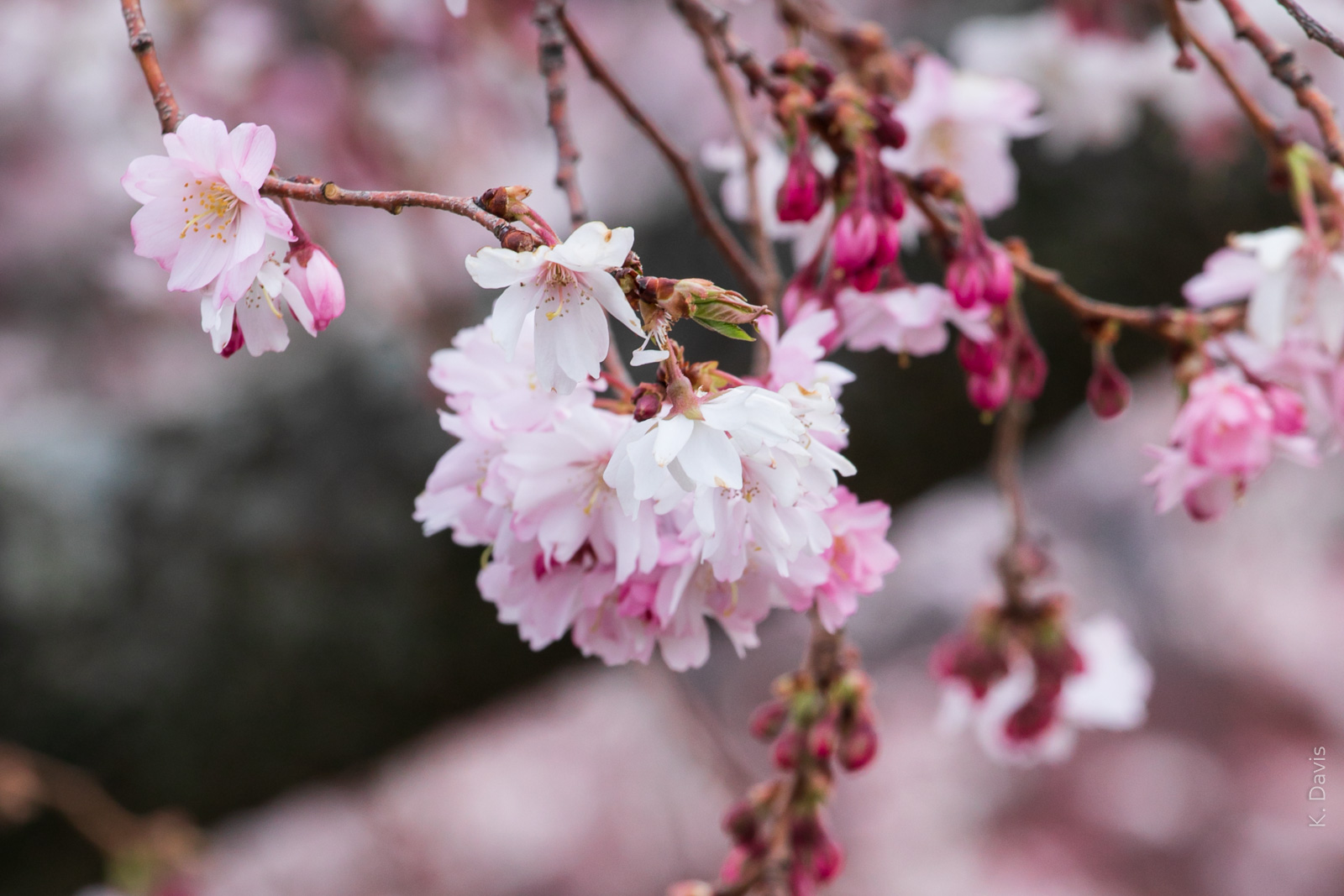
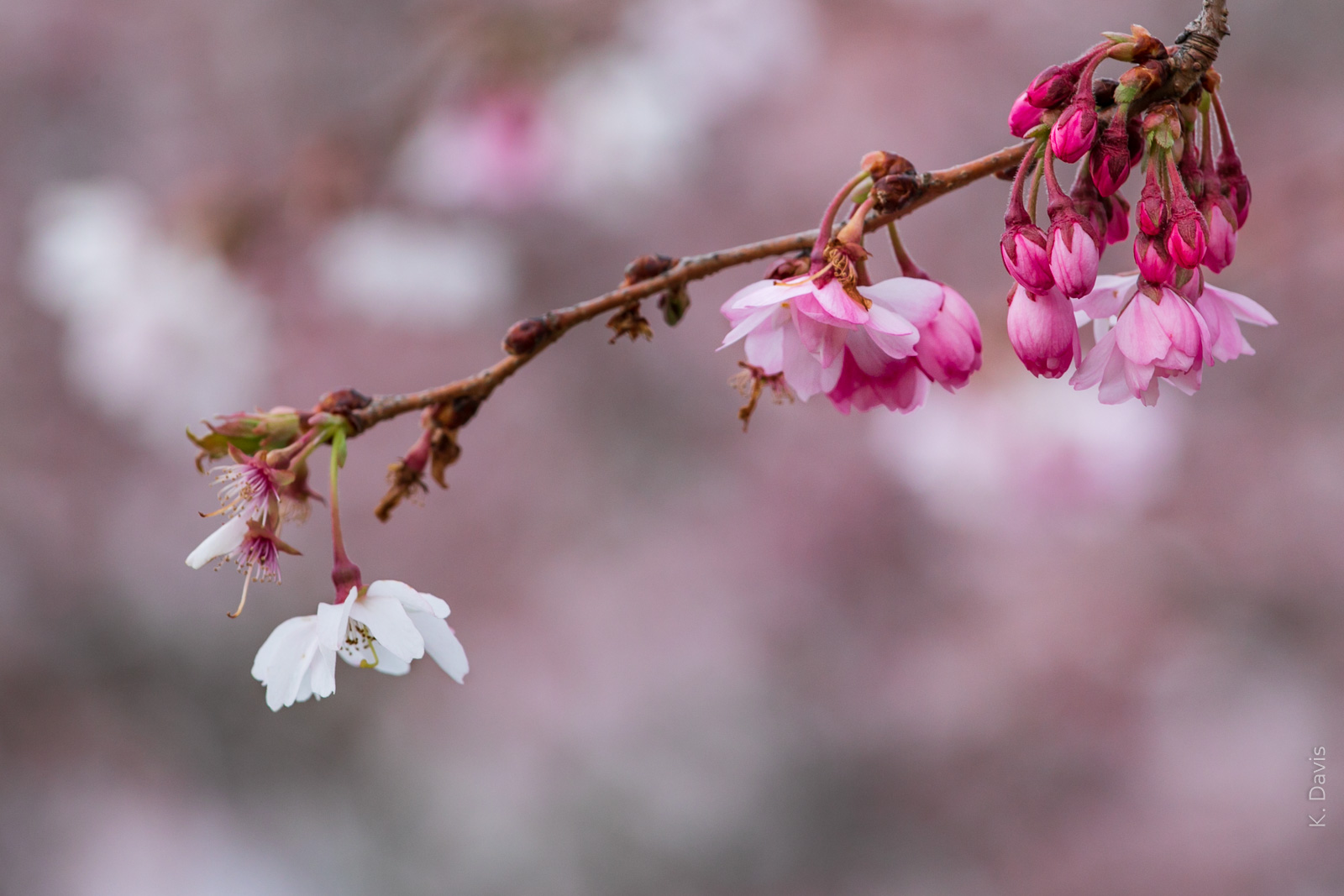
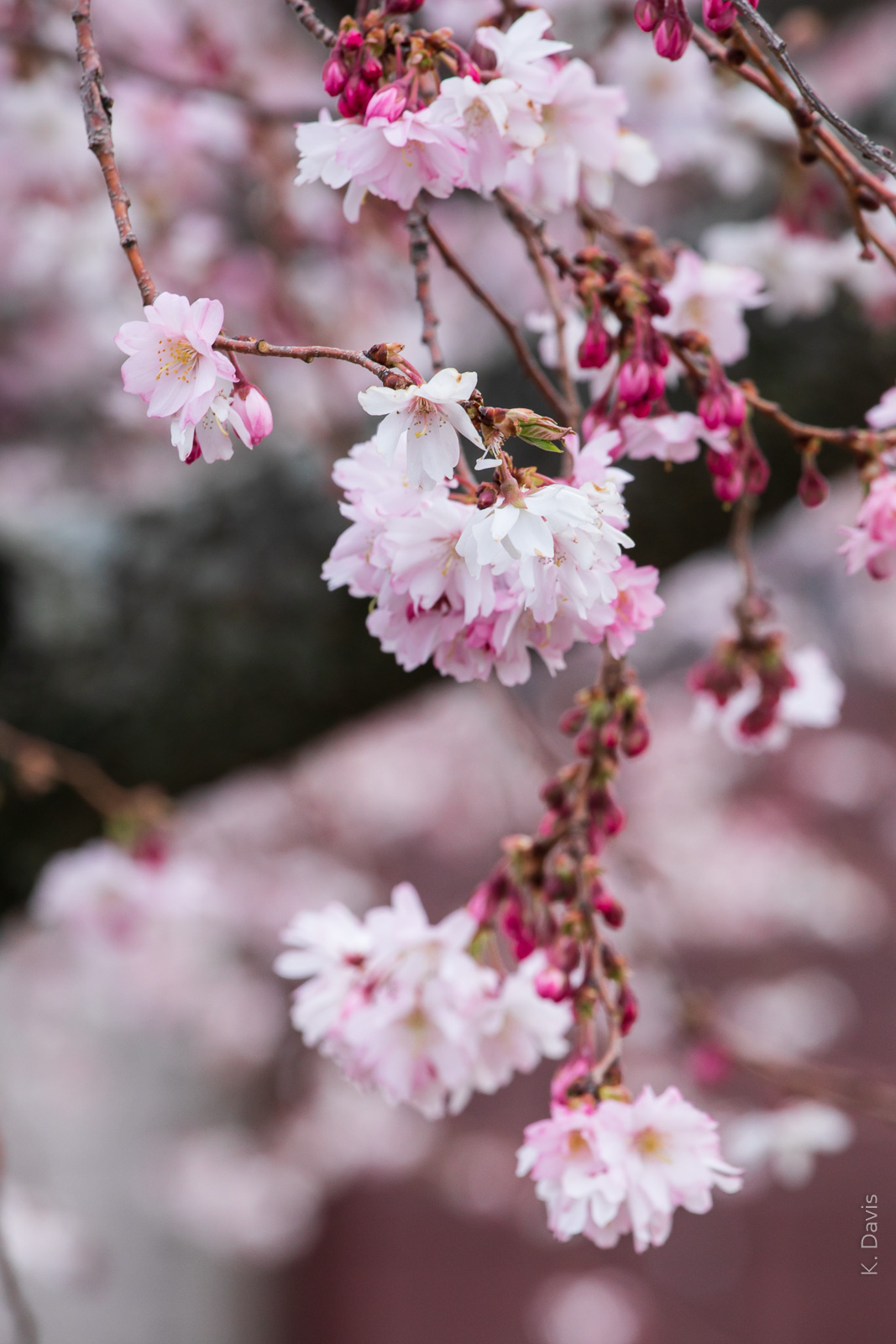
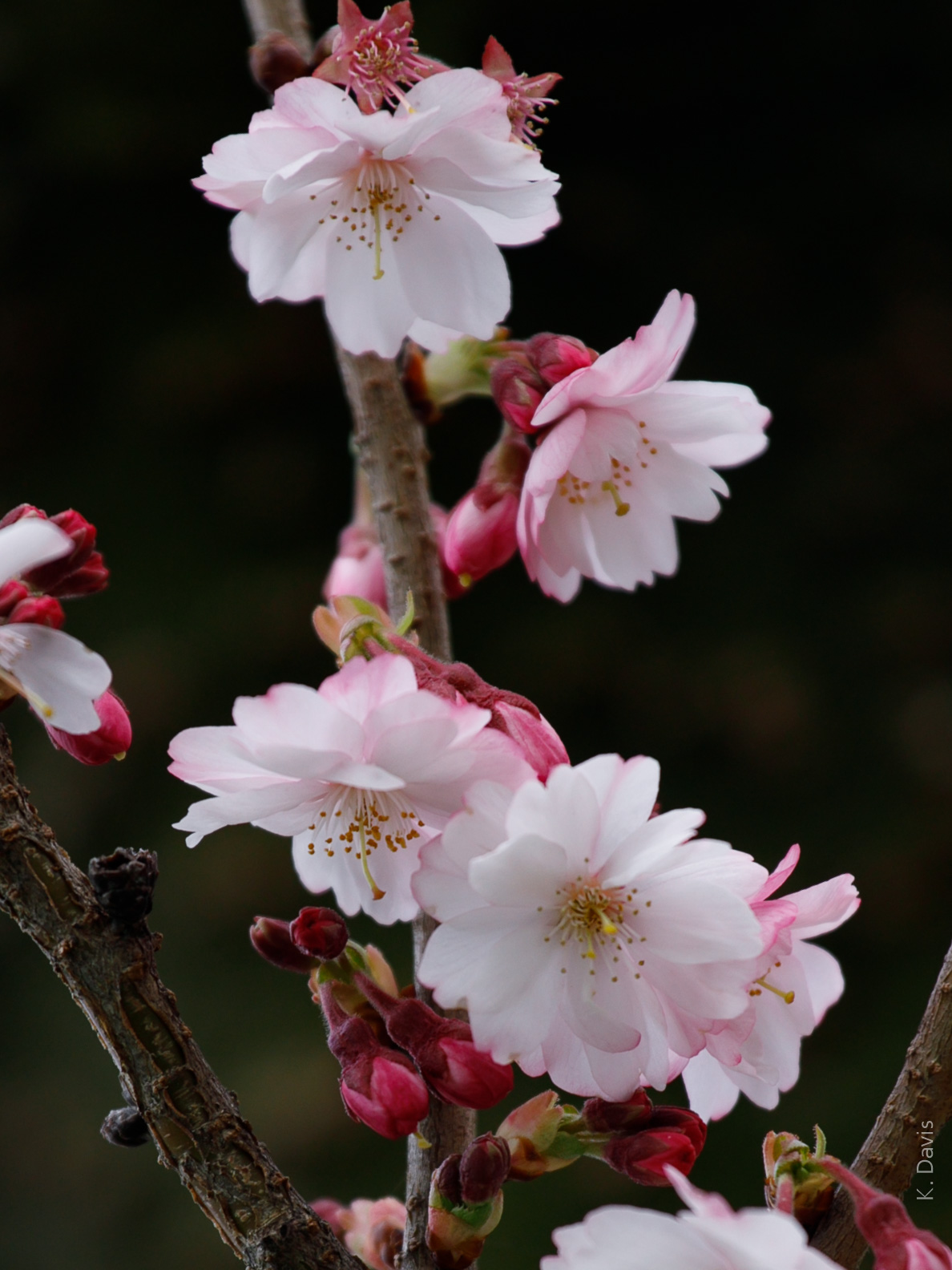
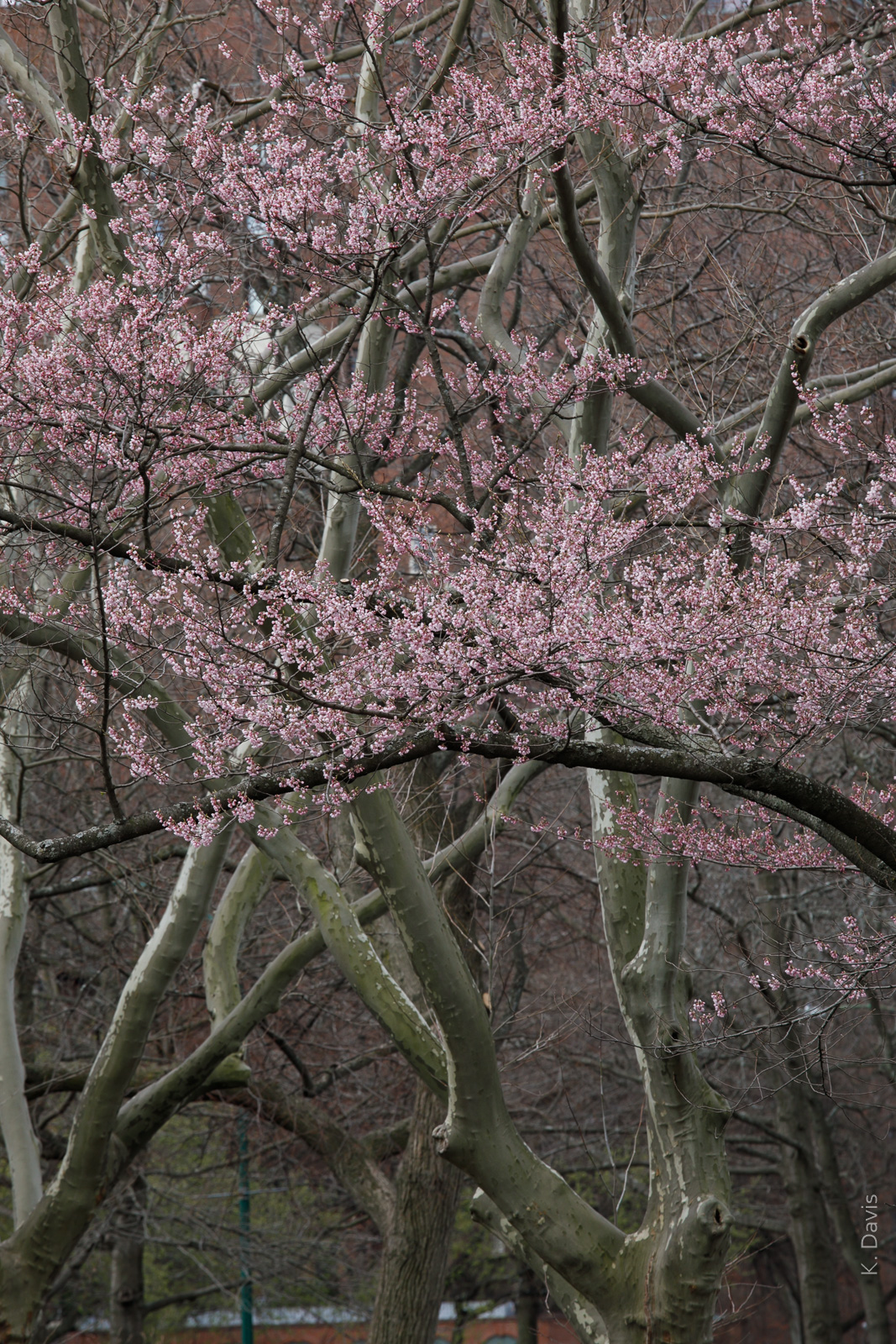
All photos in this post were created this morning in Boston.
Considering that the peak bloom in Washington D.C. is at least a week early this year, I am a bit surprised that the timing of cherry blossoms in Boston is looking to be far more normal.
Washington D.C.
“Peak bloom” of the cherry blossoms in Washington D.C. generally pertains to the Yoshino cherry trees.
(According to the National Park Service) This year, peak bloom occurred about March 20, compared to last year when peak bloom occurred April 1. The March air temperatures this year were about seven degrees (f) warmer than last year.
Several years ago, I was in D.C. for the cherry blossoms when spring temperatures arrived earlier than normal. Fortunately for me, I caught the peak bloom just a day or two before a wind storm knocked most of the blossoms off of the Yoshino trees on March 25.
Branch Brook Park, Newark NJ
A 360-acre park, Branch Brook hosts 5000 cherry trees, the highest density of cherry trees anywhere in North America. With numerous varieties of cherry trees, they do not all bloom at the same time and peak season can last two to three weeks.
As I visited Branch Brook in 2019, the trees were spectacular around April 11.
In 2020, in the interest of social distancing for COVID-19, the park was formally closed to visitors. I can find no information regarding the timing of the cherry blossoms.
Boston MA
A bit akin to Branch Brook Park, Boston has a variety of different trees such that “peak bloom” in Boston is not a singular period of three to five days. Furthermore, Boston’s flowering trees include species other than cherry trees. The Back Bay area is known for Magnolias that bloom at the beginning of April, a dozen varieties of cherries, followed by Kwanzan Cherry that bloom near the end of the month, and then joined by Flowering Dogwood.
In 2019, cherry blossoms along the Charles River Esplanade were stunning around April 22.
Today in 2020, along with the blooming of Magnolias, both Haigan and Weeping Haigan cherry are just now blooming. While I did see two other cherry trees blooming, most cherry species have not yet begun to bloom in Boston.
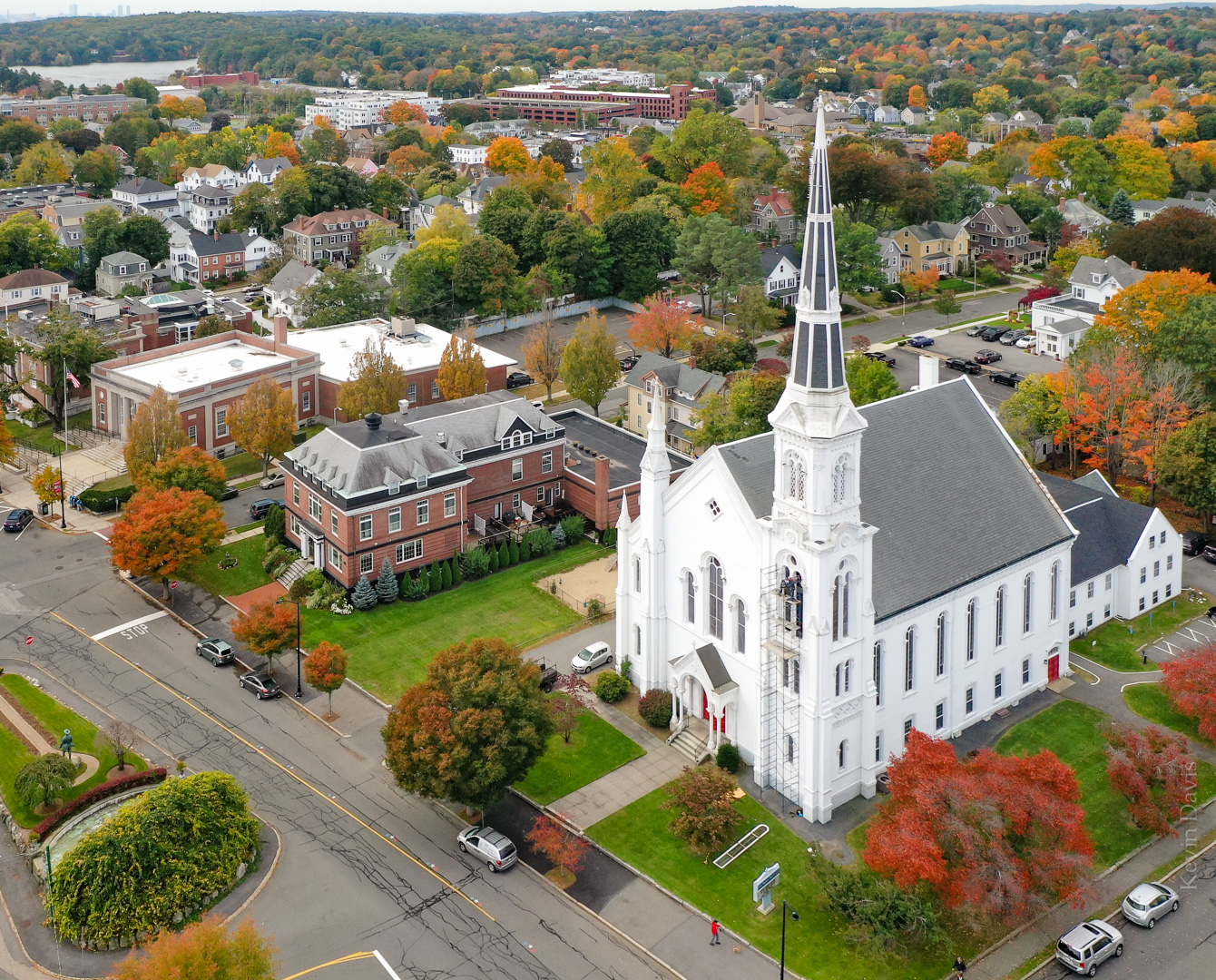
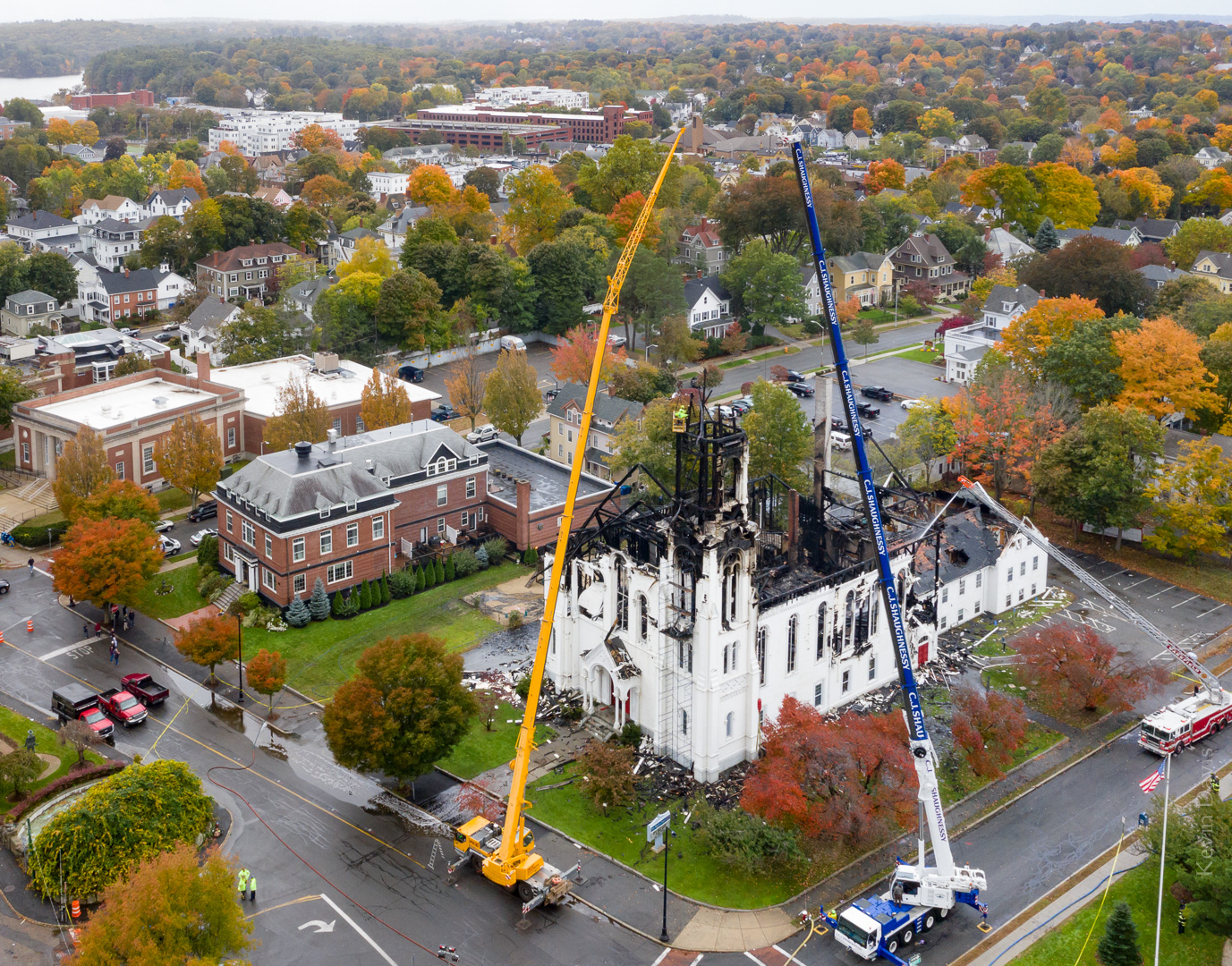
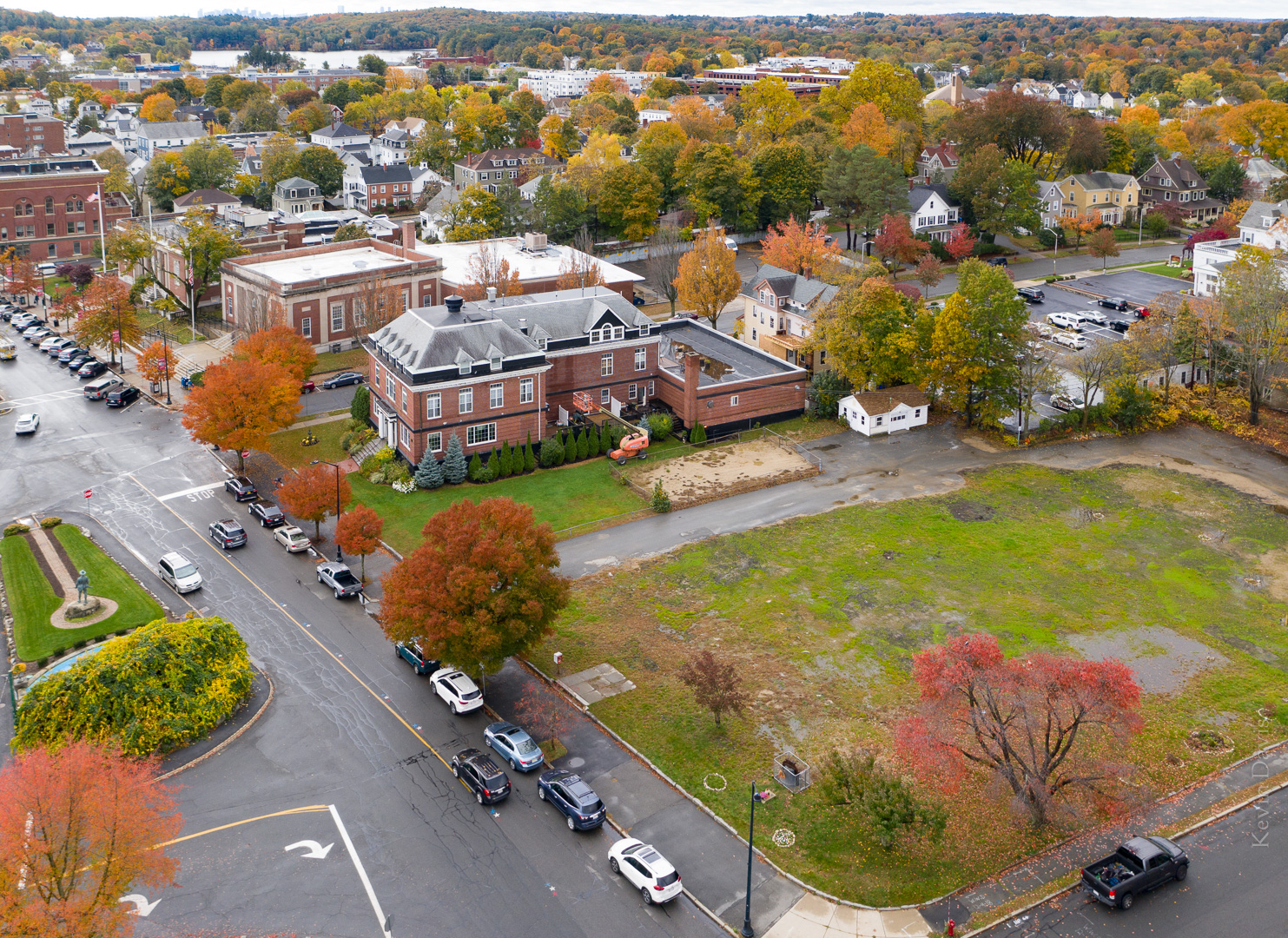
Mid-October 2018, I photographed Wakefield Massachusetts using an aerial drone. As the autumn colors were not well developed yet, I returned a week later to make the same photo again. That’s the first photo here, October 23, 2018.
Some renovation work was in progress that day. You can see scaffolding against the steeple and one of the tall windows is laying on the grass.
In the evening later that day, a lightning storm passed through the area and this presumably sparked the fire that destroyed the First Baptist Church. The next day, I again put the drone in the air to photograph the aftermath of the fire.
Today is the one-year anniversary of that fire, so I returned to again make the same photograph, but without the church.