Photo Printing on a Deadline

Having a need to get some prints done quickly, I employed a print lab that offered the paper I wanted at a good price.  Unfortunately, they overcharge for 2-day shipping and also charge a $25 fee for a rush order.  Really?  $70 for rush processing + shipping? One of these cost penalties is understandable, but the sum of these two penalties was disturbing.  Maybe a different lab would do the job without one of these two penalties?

I returned to a lab that I had used a month ago. Speaking with the lab via telephone, they told me I must upload the file within 60 minutes to get it into the processing queue.  After consulting the shipper’s web site (UPS), they quoted me only $20 for 2-day shipping and no apparent surcharge for rush processing!  But the paper choices are different and the print cost is significantly higher, compared to lab#1. In the end the total cost would be just a bit less, not much.  I did login and upload the file, but then I could not seem to place an order.  Their website allowed me to upload the file, but then the site navigation was confusing and I could not figure it out.  (Which is odd because I had used this site just one month ago.) At this point, I was experiencing a lot of anxiety because of the time pressure.

Returning to lab#1, I completed the ordering process.  Then sent a courtesy email to lab#2 because they were watching to receive my rush order (which I abandoned).  Ten minutes later, someone from lab#2 telephoned me because he saw the upload and called to help.  Sorry, but it was too late.

Lesson 1: When push comes to shove, never ever underestimate website ease-of-use.

Lesson 2: For rush jobs like this, I need to print myself rather than outsource to a print lab (incurring shipping delays, shipping costs, and rush processing fees).


Photography Portfolio – part 2

Photography Portfolio – part 2

(This is the next installment following Photography Portfolio – part 1.)

Having sent out two sets of images, each to a different lab for printing,  I have received both sets of prints.  They all look great.  Both sets were printed on archival inkjet paper, but two different brands … Epson Premium Luster for the sports images and Museo Silver Rag for nature/landscape.  Premium luster is a lightly coated paper with a very slight pearl texture.  Although I have seen Museo Silver Rag referred to as luster, I am inclined to say that it is semi-matte (one notch below luster), with a subtle sheen and subtle paper texture.  The density of black color is not as good on Silver Rag (compared to the Epson Premium Luster), but is quite good considering this is an uncoated paper.  In retrospect, I am very happy with both choices.

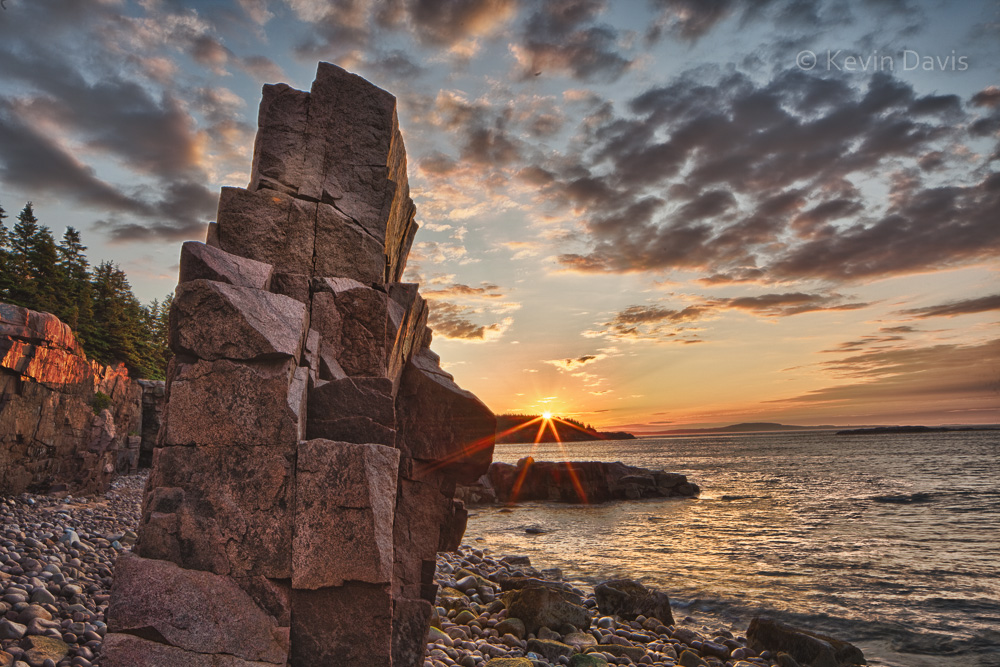
Acadia National Park


For sports images, I mounted each to a pure black presentation board.  The presentation boards were pre-cut to size and are solid black through the core.  From the print lab, each print had a broad white border; I trimmed down the borders to maybe 1/16 inch before mounting to boards.

For nature images, I did not want black or white, so I selected an off-white color mat board.  General-purpose mat board can be inexpensive, but depends upon the particular board.  Sheets 32×40” may cost less than $9. But this is only practical if you have the tools to easily and accurately cut the boards.

All said and done, including shipping, 32 prints cost me more than $400. Mounting boards cost an additional $1.20 – $2.00 per print.  A spray-can of adhesive can cost as little as $10 for non-archival and as much as $20 for acid-free archival.   Because a portfolio is not meant to last forever, there is no point in spending extra dollars for acid free adhesive or acid-free mounting boards.

Photography Portfolio – part 1

If you have a set of images, is that a gallery or a portfolio?  To my thinking a gallery can be any set of images, they need not even be related in any strong way.  In contrast, a portfolio is a very closely edited collection of 20-30 images, your very best.

A portfolio can be presented in many ways, but foremost in my mind are these four: contained in a book, individual prints, digitally on a web site, or digitally on a tablet computer.  Today, a professional photographer probably needs at least two of these four.  Most recently, I have been working on a print portfolio.  The last time I did this was years ago.  (I should probably burn those old prints because they cannot hold a candle to my recent work.)

The last time I created a print portfolio, the prints were all made on chromogenic paper … chemically treated paper that is light-sensitive and processed with chemicals to permanently fix the image onto the paper.  These types of prints are still very common, can be very inexpensive, and can create stunning images.   The image can be projected onto the paper either using traditional film enlargers or digital enlargers, such as a LightJet.  Chromogenic prints are continuous tone, unlike inkjet/giclée prints.

Bicycle race
Bicycle race

For my new portfolio, I am employing only giclée (a.k.a. inkjet) prints. These types of prints offer far more options with regard to the paper.  There are dozens of paper manufactures, each offering a variety of surfaces, textures, and contrast characteristics.  It’s all very confusing.  Photographers, who print often, have experience with several papers and have learned a few favorites for different types of images.  But that’s not me.

After a ton of research, I selected a specific paper and a lab that offered this paper at a reasonable price.  But before uploading my images to a print lab,  I thought to check the image via soft proofing.  Because printed images are dramatically different than images displayed on a computer monitor, soft proofing is a software feature that compensates for paper and ink, then shows on a computer monitor an approximation of what the print will look like.  I downloaded a color profile specifically for the paper I had intended to use, then displayed the soft proof using Adobe Lightroom.  The result was absolutely awful.  My best efforts were not enough to make the image look good, and I ultimately abandoned the paper, did more research, and selected a different paper.

Very briefly, let me say that a single print 11×14” or 8×12” can cost anywhere from $13 to $60, depending upon the particular lab, how much personalized care they give to each print, and the particular paper you choose.  (If you buy multiples of the same print, the additional copies typically cost less than the price for the first one.)  Compare this to a print on chromogenic photo paper, which might cost only $4 to $15.

When I began to place my order for prints, they informed me that my preferred paper was no longer available. Again, I returned to research and selected a third paper.  Because the lab offered a specific set of papers, I limited myself to just those papers that this lab supported.  Having already uploaded my images to the lab, I spoke directly with someone at the lab, to confirm that my paper choice was right for these particular images.  (Specifically, I did not want glossy or matte, but rather something in between that would provide very good color saturation and contrast.)   Unfortunately, the lab also informed me that the prices advertised on their web site had all been changed recently (they had neglected to update the web site).  Despite the paper changes and price increases, I chose to stick with this particular lab rather than go back to research and look for another lab that might possibly be less expensive.

More to come . . . .

Giant Pumpkin Festival

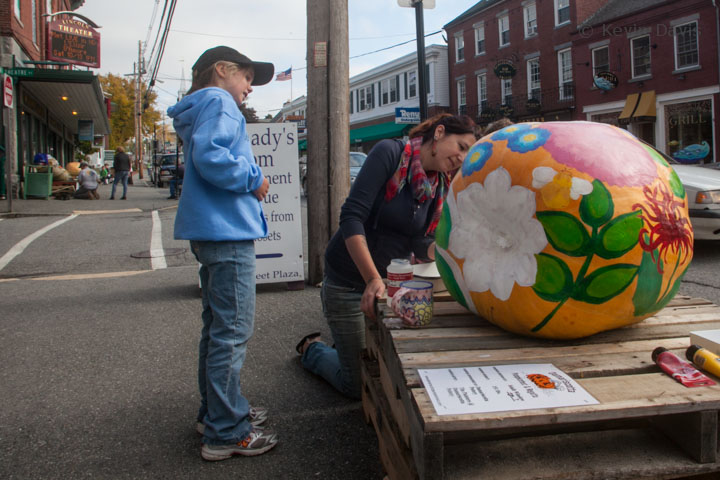
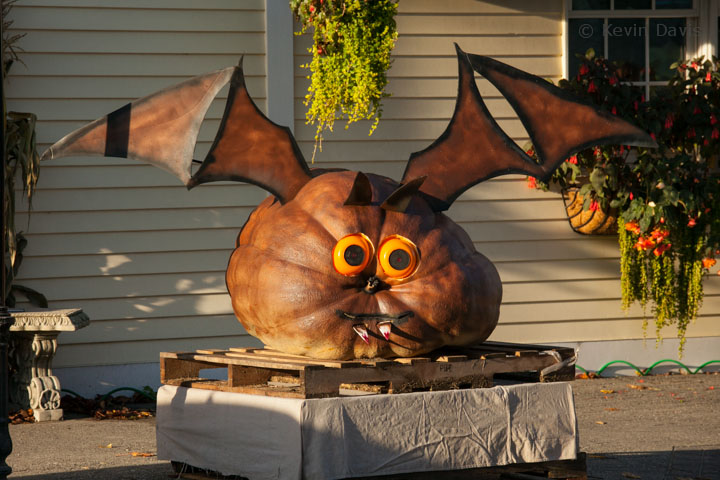
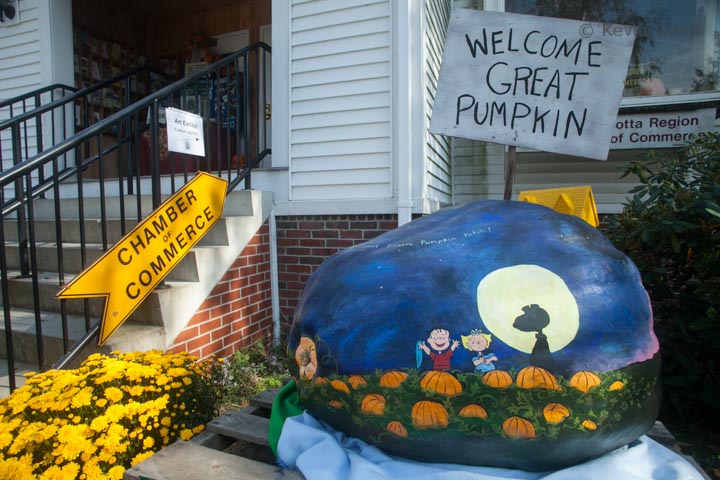
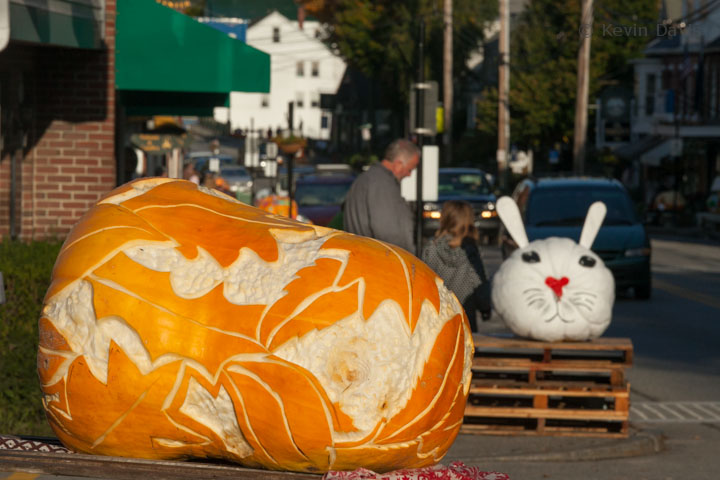
At the tail end of September this year, I photographed a couple of events where giant pumpkins were weighed in competition.  I overheard a fellow make a comment about one particular giant, “There’s something weird about that one.”  I leaned over and offered my own uninvited follow-up comment “There’s something weird about all of those pumpkins.”  The guy grinned and enthusiastically agreed, “Yeah, they’re all huge!”

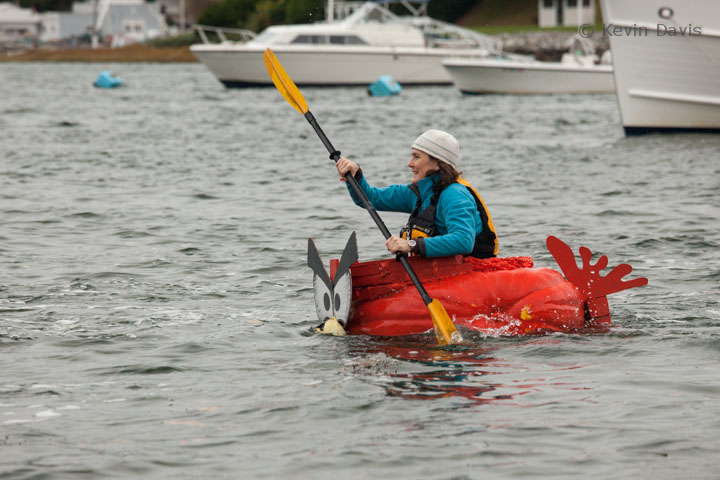
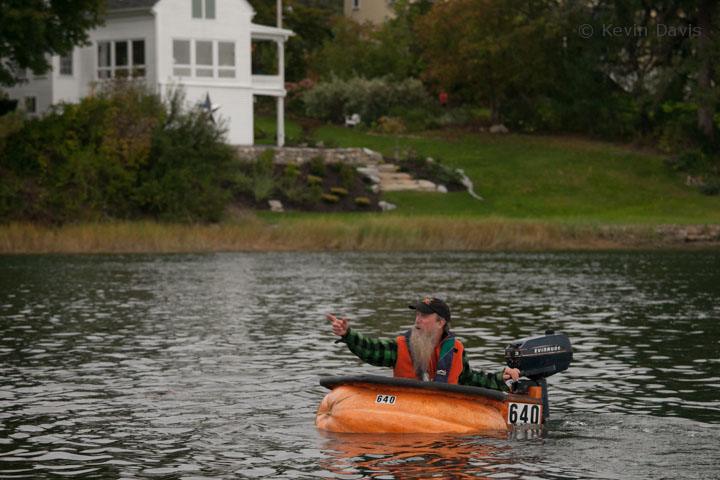
Giant fruits and vegetables are generally peculiar.  But a crowd of a hundered people eagerly watching pumpkins get weighed on scales, that’s peculiar too.  Even more surprising is the uproar and applause when a new contender puts up a number (on the scale) bigger than any other.  Stranger still, some people carve out the giant pumpkins, float it in water, climb inside and paddle it as a boat.  I love New England!

(click on any image to see a larger view)

Damariscotta Pumpkin Festival


Damariscotta Pumpkin Festival & Regatta


Motion Blur Sports Photography

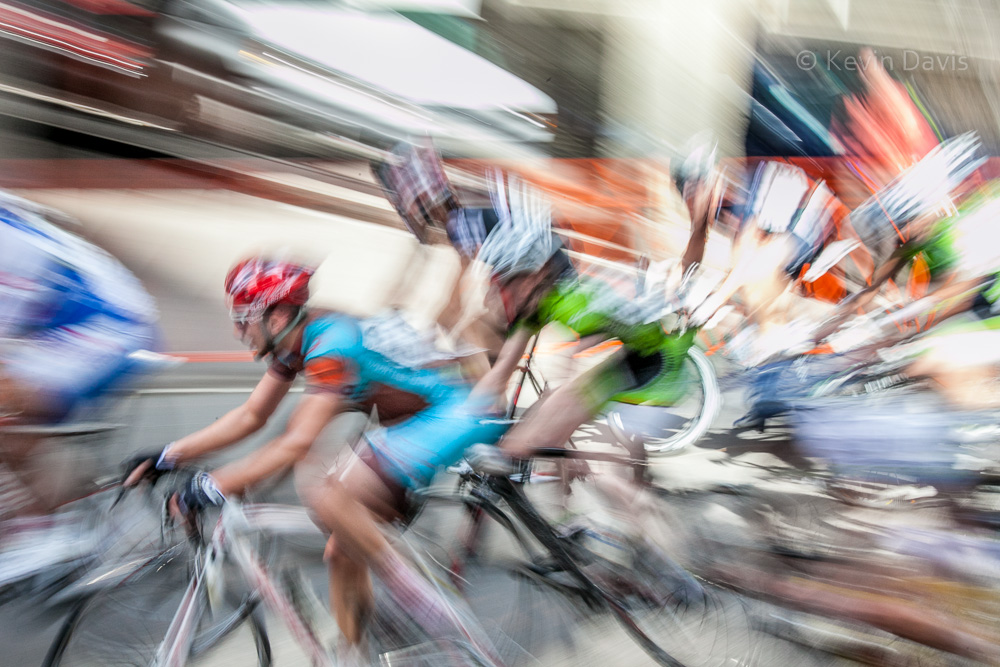
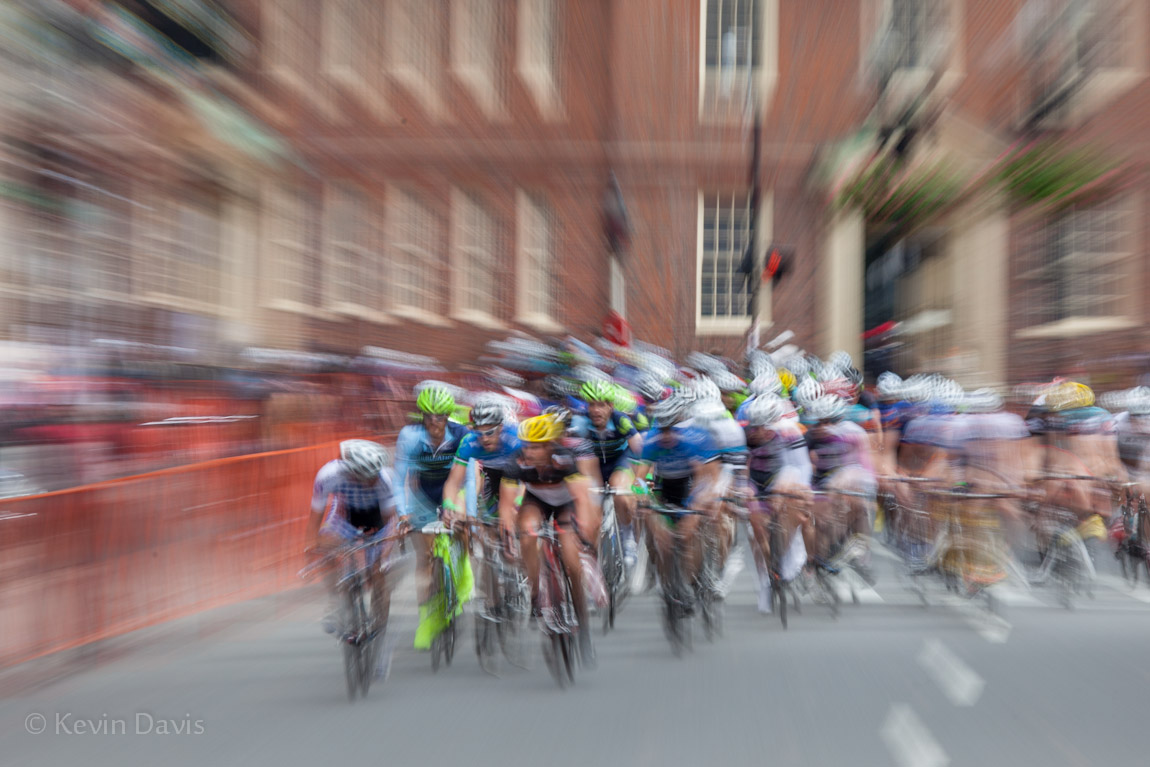
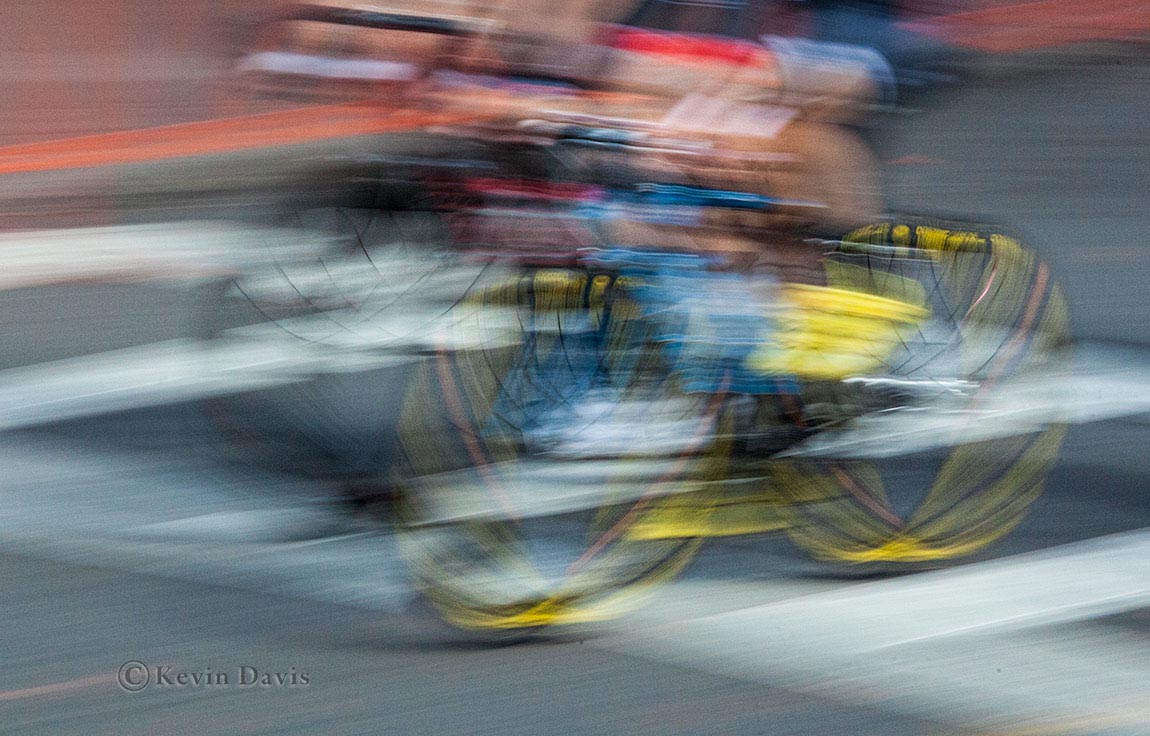
Most sports photography employs fast shutter speeds, to freeze the action.  But where there is motion, I want to show that.  A slow shutter speed allows movement to blur.  Here are a couple examples from a bicycle race last weekend in Boston.

(click on either image for a larger view)

While it is tempting to quote specific shutter speeds that I use, it really doesn’t work that way.  The shutter speed depends upon (1) the speed of the moving subject, (2) the angle at which the subject is approaching, and (3) how much blur I want.  So I might start out somewhere between 1/30 to 1/100 second and then chimp the back of the camera to see what it looks like.

(Chimping means frequently reviewing captured images on the camera display panel. If it looks really good, you scream like a chimp.)

To get basic motion blur, you lock down the camera such that the background is sharp and the moving subject shows blur.  Alternativley, you can pan the camera to follow the the subject, such that the subject does not blur but the background does. Another technique is to actively zoom the lens during the exposure, which you see in the first image here, using a shutter speed of 1/4 second.  A shutter speed of 1/4 is quite long, but the subject here is moving head-on towards me.  Compare that to the second image, the subject is moving side-to-side perpendicular to the camera and the shutter speed is 1/30 second.

The blur effects shown here is achieved entirely in the camera.  As the subject does not stay in one spot, the light reflecting off the subject is diminished.  In post-processing (e.g. Photoshop or Lightroom), it is typically necessary to selectively restore brightness, contrast, and color saturation.  In the second image here, I have intentionally over-stated the contrast and color saturation.

With a bit of experimenting, you can get some interesting abstract results.  Motion blur photography is not new, but it is a bit unusual.  It has been said, if you want to excel, if you want to stand out in a crowd of talented people, don’t simply mimic what everyone else is doing.


Custom Photo Wallpaper

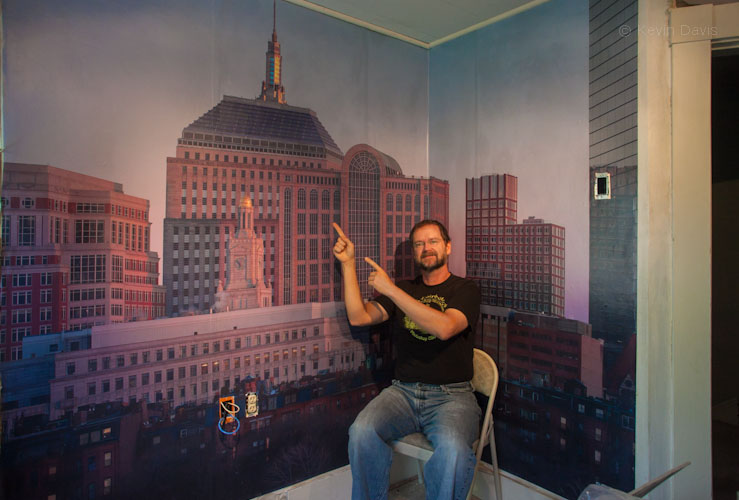
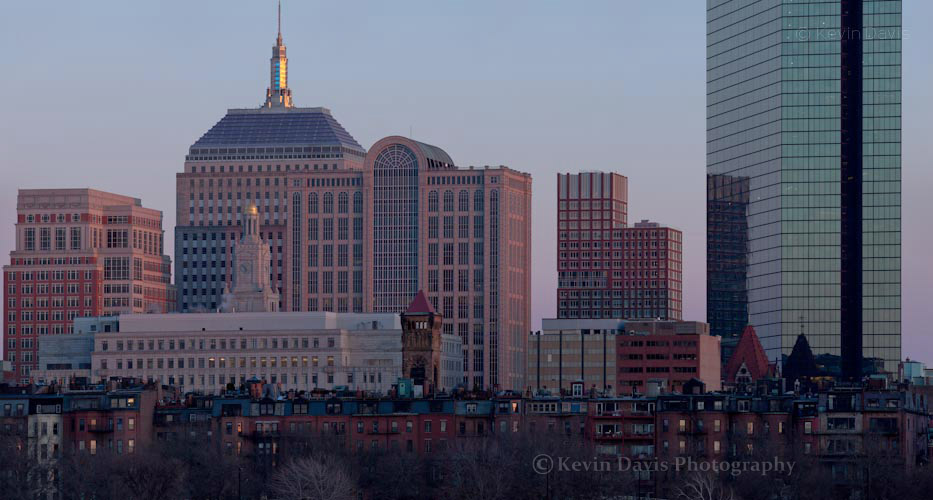
The image of the Boston skyline was created with a full-frame DSLR, a 400mm lens, and a tripod.  Twelve separate frames were stitched together (using Adobe Photoshop) into a single image.

The final result was a single image 16,000 x 8600 pixels (137 megapixels).   Cropping this to fit my wall, the JPEG that I submitted for wallpaper was 12,320 x 8726 pixels.  When printed to a size of 119.5” x 86.5”, that implies a resolution just above 100 dpi.  But the wallpaper vendor will interpolate this higher, to the native resolution of the printer.

The wallpaper

After a bit of research on the internet, I selected three possible vendors to print my wallpaper.  My first vendor choice ended in a confusing experience with their website.  I abandoned that vendor and then selected Blue River Digital (www.blueriverdigital.com).  BRD offers several substrate choices; the choice depends largely upon two factors, (1) exposure to direct sunlight and (2) longevity of the intended display.  I chose premium vinyl wallpaper and the cost was about $400.  (This was a year ago; today’s options and prices have surely changed.)  Depending upon the vendor and the material you choose, the cast generally ranges from $3 to $9 per square foot.

Sharpness, color, … the image quality of the final printed wallpaper is excellent.

In terms commonly used to describe photographic paper, this wallpaper has surface that is perhaps between matt and satin.  Side light from a window causes a glare on the surface of the wallpaper.

For my wallpaper, the side-to-side ordering was obvious.  However, depending upon the particular image, maybe with a repeating pattern, the sequence of the separate panels might not be obvious.  Because of this, Blue River Digital includes a number on the back side of each panel.

The installation

You can hire a professional wallpaper installer or do it yourself.  I have hung wallpaper myself on a few occasions (not recently), so opted to install the photo mural myself.  A professional could have installed it in far less time than I … and with less cursing.  (To install any wallpaper yourself and avoid the cursing, it’s a good idea to have help from a second person.)

As with any wallpaper installation, the wall does need to be properly prepared before installing the wallpaper.

After applying paste the back of a panel, the panel is folded in half and allowed to sit for a bit.  (This is called Booking and is standard practice for wallpaper.)  Blue River Digital provides a list of name brand wallpaper pastes that they have actually tested.  I took that list to my local hardware store and found that they did carry one of those paste products.  My local big-box home improvement warehouse stocked only a generic brand; I expect that would suffice, but I chose to use a paste that was Blue-River-tested.

My print consists of four panels, each 30” wide.  At the edge of a panel, the image on a panel overlaps with the image on the adjacent panel, by about one inch.  So, when applying each panel to the wall, the panels overlap by one inch.

Because my particular image has some strong vertical and horizontal lines, I was very particular about getting that first piece level and plumb.  I removed that first panel from the wall and re-applied it probably three times before I was satisfied.  Then I applied the remaining panels, which were easier to install than the first, but still can be difficult to get the two panels exactly aligned.

Pixel RW-221 wireless remote camera trigger

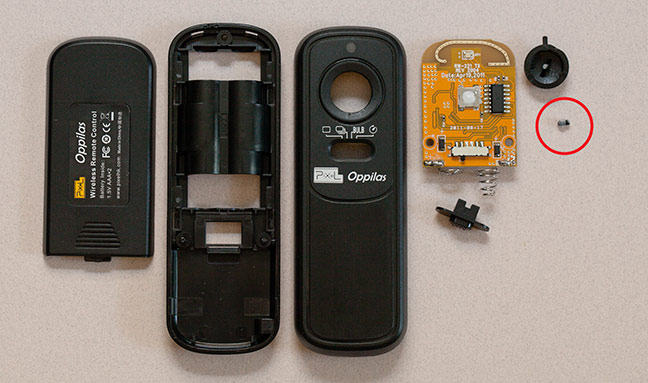
Some situations require remotely triggering a camera.  The RW-221 is an inexpensive remote trigger.  It looks well made and worked well in my initial testing, however … the first time I ever used the RW-221 for a real shoot, it broke.

There was a dense crowd of people in Boston that day and someone tried to squeeze between me and the shrubbery … I lost balance and pushed hard on the button of the RW-221.  The button slid into the plastic case such that it could not pop-up (the normal un-pressed state).  I was on location and had no backup for this tool.

Upon taking it apart, I found that the plastic button is supported by a very small plastic pin, which easily snapped under pressure.   Although I repaired it with a bit of glue, I have to conclude the following:
1) due to a design flaw, the RW-221 is not robust/reliable; be gentle.
2) always have a backup for your equipment
2) anyone who has this device or is purchasing it new, take it apart and re-inforce the pin with a bit of epoxy


Essential Photo Gear

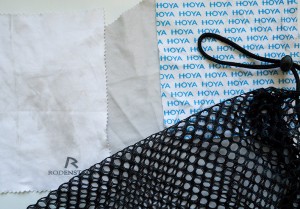
Among my photo equipment, perhaps the most critical accessory is also the simplest …  something to clean lenses and filters.  For this purpose, the microfiber cloth is the preferred tool. 

Microfiber cleaning cloth for optical usage (cameras, eyeglasses, electronic display screens, etc) have become ubiquitous. Lint-less, will not scratch, washable, and reusable. Technically, the term “microfiber” simply means the fabric is woven from thread having a diameter smaller than 1 denier, smaller than silk thread.  (Different brands may use different size threads.)


Microfiber cleaning cloths are availabe in patterns, colors, and even with detailed images on the cloth. You can get your own image custom printed onto the cloth.

Tip#1 – Use plain white.  It shows dirt and you will visibly see when it needs to be cleaned.  Anything other than white will obscure dirt.

Tip#2 – Select a cloth that has no hems or tags.  Potentially dirt can get trapped in the stitching.

Tip#3 – Hand wash.  You can try machine washing, just place the cloth in a lingerie bag so it does not get sucked down the drain.  However, my experience is that this does not do a very good job.  Hand wash with a light detergent such as Woolite.  Rinse multple times to ensure all detergent is removed.

Tip#4 – Have more than one available in your photo bag.  They are small and inexpensive.  If one cloth seems dirty, maybe not cleaning well, you will have another available as back-up.


Wildflowers in the White Mountains

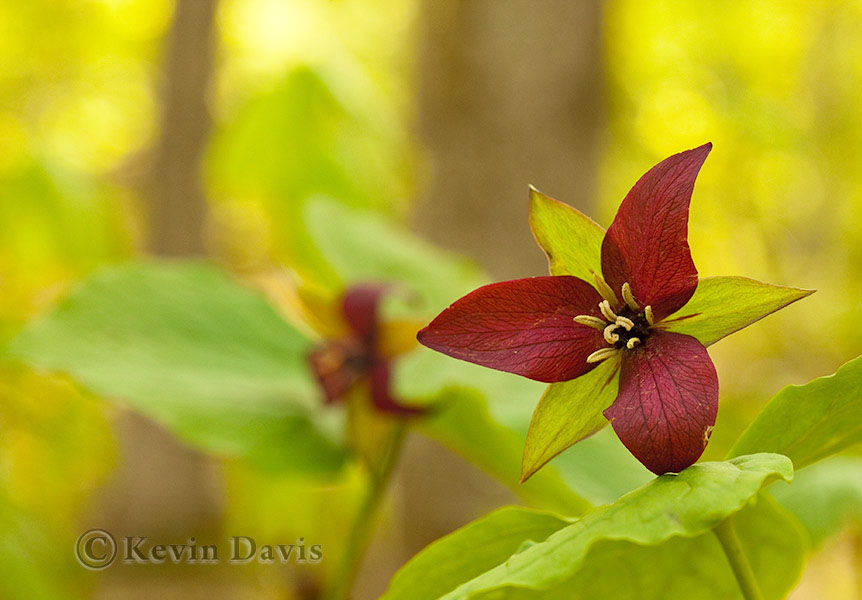
Purple Trillium, Painted Trillium, and Trout Lilly are just a few of the wildflowers in bloom in the White Mountains of NH this weekend. 

Purple Trillium is tricky to photograph because it has a nodding presentation (the flower faces downward).  In the first photo here, I propped up the one flower with a stick (just a couple inches) so that it was not nodding.   I love the soft background in this image; there is a strong sense of location yet without sharp details. (f\10 @ 1/50 sec)

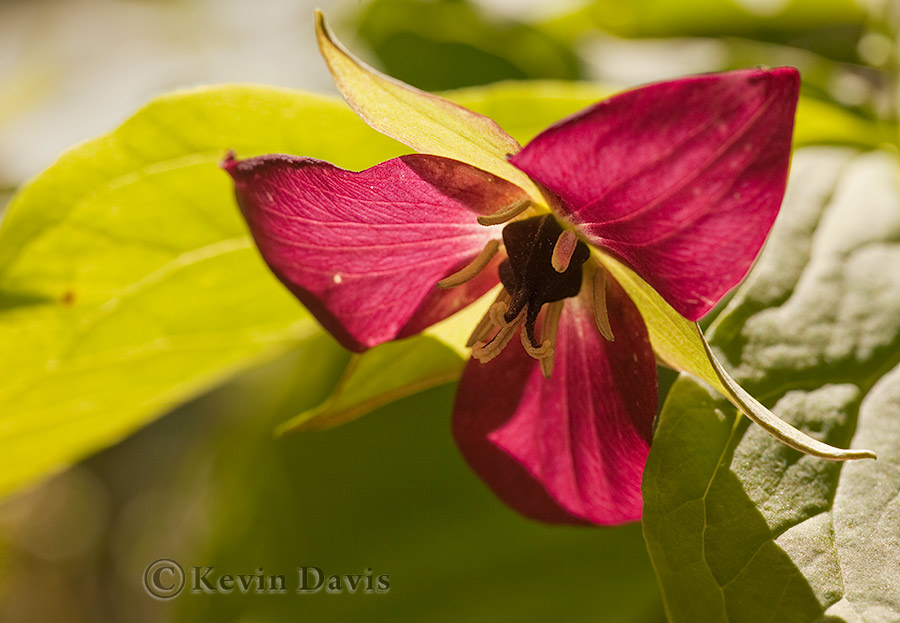
In the second image (with the sun shining through it), the flower was on a slight rise and I shot up at it as I lay flat out on forest floor.  Sometimes you have to get dirty.
(f\7 @ 1/250 sec)

In both cases here I used a reflector to kick a bit of light up into the face of the flower.  This helps the first image simply because the flower is much darker than the background. In general, this is not true in the second image, but it does help specific areas that are dark (for example the center of the flower).

Click on either image to see a larger view.


Smoky Mountain Sunset

In Tennesee, anybody can enjoy Great Smoky Mountain National Park at no cost.  There are no entrance fees and no parking fees.  Apparrently this was part of the deal when the land was acquired (from native American Indians).  And you can simply drive to the top of Clingman’s Dome.

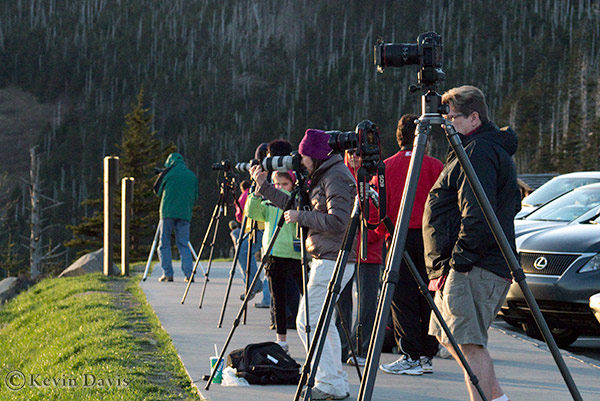
Any evening on Clingman’s Dome, there can be a bevy of photographers lined up to photograph sunset. (Probably sunrise too, but I have not witnessed that.)
But as most photographers point their cameras toward the sun, they may miss out on some of the best scenes … which do not directly include the sun.

This image was shot with a micro-four-thirds camera (Panasonic Lumix G3) and captured as RAW.  While JPEG images have already been processed (by the camera), RAW images receive no processing.  In my experience, RAW images tend to look flat and require some post-processing (by me).  While this scene appeared well to my human eyes, the camera capture was very low contrast.  So the significant post-processing was to increase the contrast.