Three recent examples to share, each created using AI tools from Topaz Labs. Though I have long relied upon photo tools from Topaz, the AI features are quite new, added within the past several months.
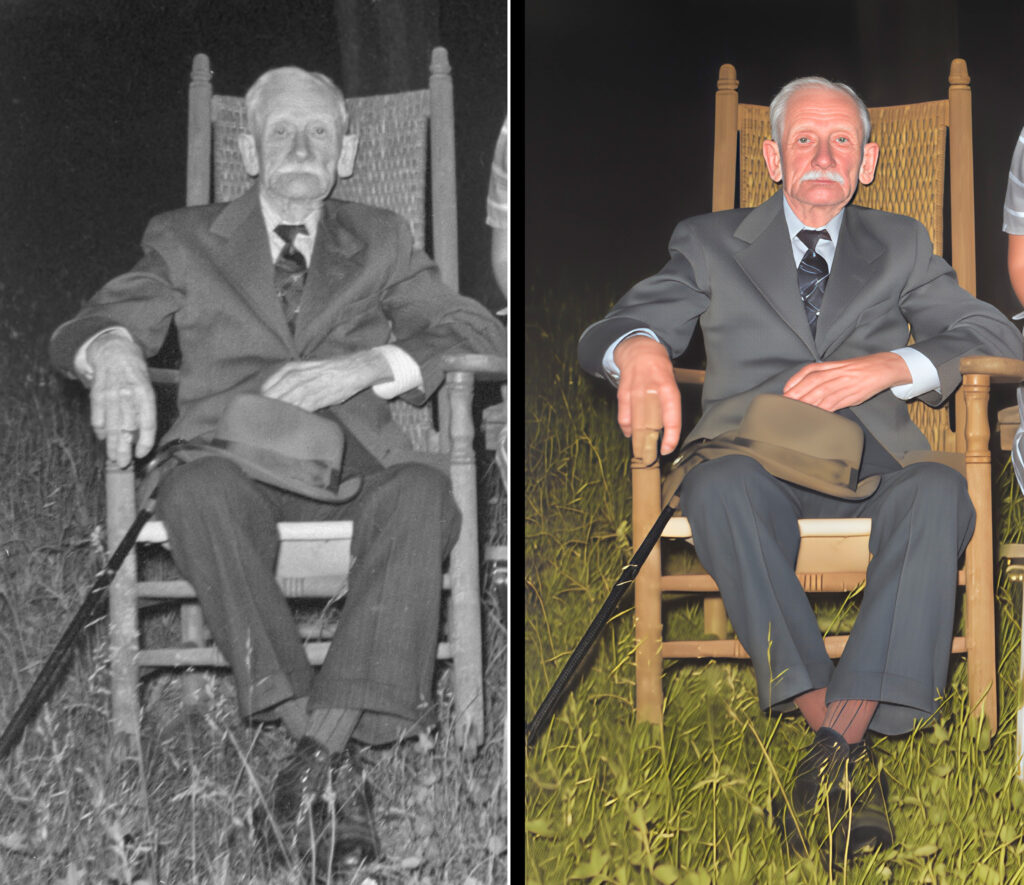
The first image here shows restore and recolor an old black & white photo. This was done using a Topaz online tool called Mosaic. Each use of the online tools requires some AI credits. Use these enough and your credits will be exhausted, requiring purchasing more credits.
In general, the result is quite impressive but there is a flaw. Look at the middle finger of the man’s right hand – the color is the same as the chair.
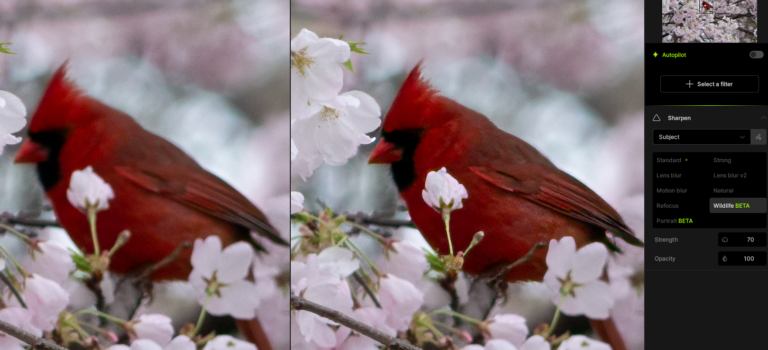
The second and third images here show two separate attempts to fix a photo of a cardinal in a cherry tree. I shot this in New York’s Central Park last spring but my camera wasn’t the best and I was too far away.
The first attempt employed Topaz Photo AI (desktop app) and a new AI model for wildlife, which is still in beta test.
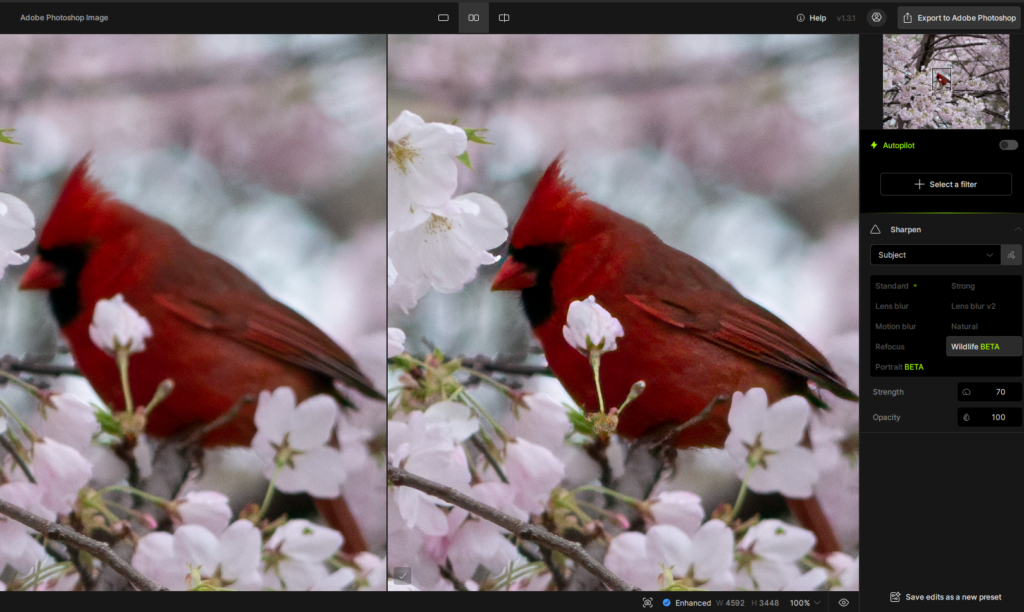
The second attempt uses Topaz Gigapixel AI (desktop app) and a new AI model called Redefine Realistic, which is still in Beta test. This model can optionally use a prompt and you can see the prompt I used (“improve details in the red bird”). Not only does the result show detail in the feathers, but now the bird has an eye. However, the bird’s beak isn’t quite right and now has a nostril.
The changes to the bird are a bit heavy-handed and Gigapixel AI did not limit its changes to only the bird; some undesirable artifacts were introduced to the flowers and in the soft out-of-focus background. This implies a bit more work in Photoshop to blend the revised bird image onto the unmodified background image. I might choose to blend some of the different results from Photo AI and Gigapixel AI.
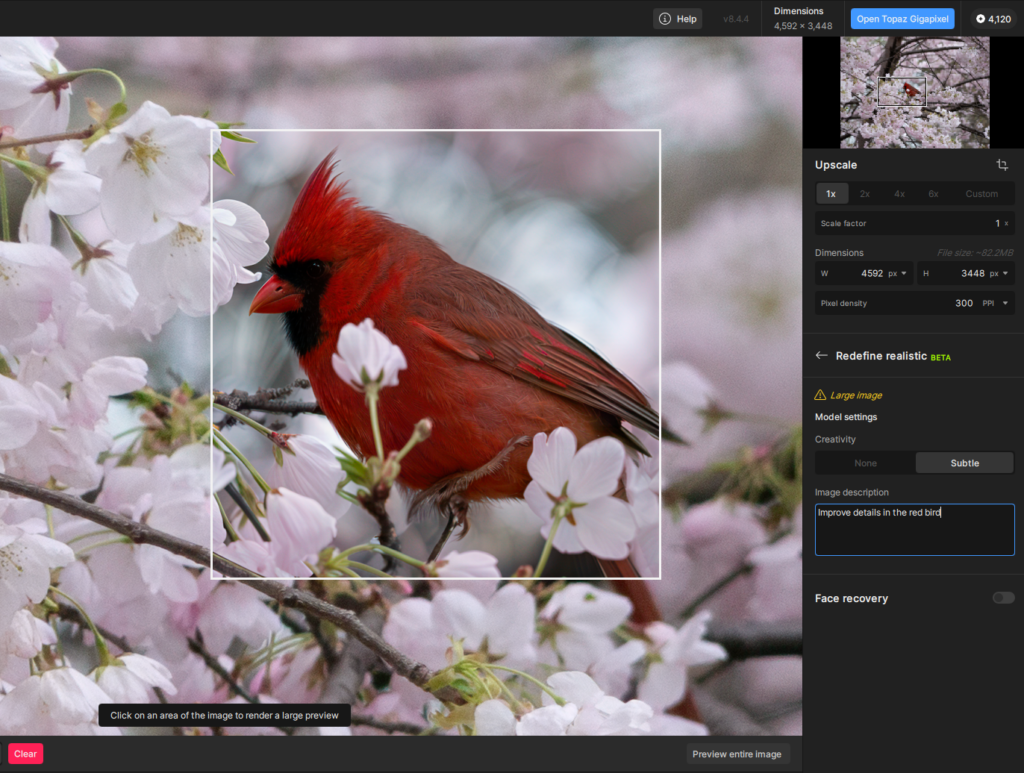
Though Gigapixel is commonly used to increase image resolution, you can see here that I did not upscale the image (Upscale = 1x).
The desktop apps (Photo Studio and Gigapixel AI) allow choosing either cloud computing or local computer resources. I chose to use my local computer, which does have a GPU. The sound of my computer suggested the GPU fans were spinning fast and Windows Task Manager told me that the GPU was running at full capacity. Using cloud computing will consume AI credits but using the local computer does not require any AI credits.